What Is the No Man’s Sky Swarm Update
The Swarm update is not a balance patch or a quality of life fix. It is a full content drop that changes how space combat feels and introduces a new threat that operates at a scale the game has never seen before. Giant hive ships now appear across the universe. These are not small enemy craft. These are enormous structures surrounded by swarms of battle drones, and they are aggressive from the moment you enter their range.The update also ties directly into the community event system. Hello Games structured the new Hive Expedition around three groups working simultaneously toward one shared goal. You are not grinding solo for personal rewards. You are contributing to something that requires thousands of players to push together. That shift in design philosophy is worth paying attention to.Hive Ships Explained: What You Are Actually Fighting
The first time I ran into a hive ship, I thought my game had glitched. One moment I was flying through an empty star system doing my usual scan loop. The next, my screen was filling up with alerts and the sky around me went dark with drones.Hive ships are massive combat structures that float in space and deploy waves of drones to protect themselves. The drones are not slow. They move fast, they coordinate, and they target your ship aggressively. The hive ship itself is the real target, but getting to it means fighting through the drone defense layers first.There are a few things worth noting about the encounter design:- Drone waves scale based on how many players are engaged in the system
- The hive ship has weak points that respond to specific weapon types
- Destroying drones generates salvageable components you can use for upgrades
- Retreating and re-engaging is a valid strategy, especially in solo play
The Hive Expedition and Community Goals
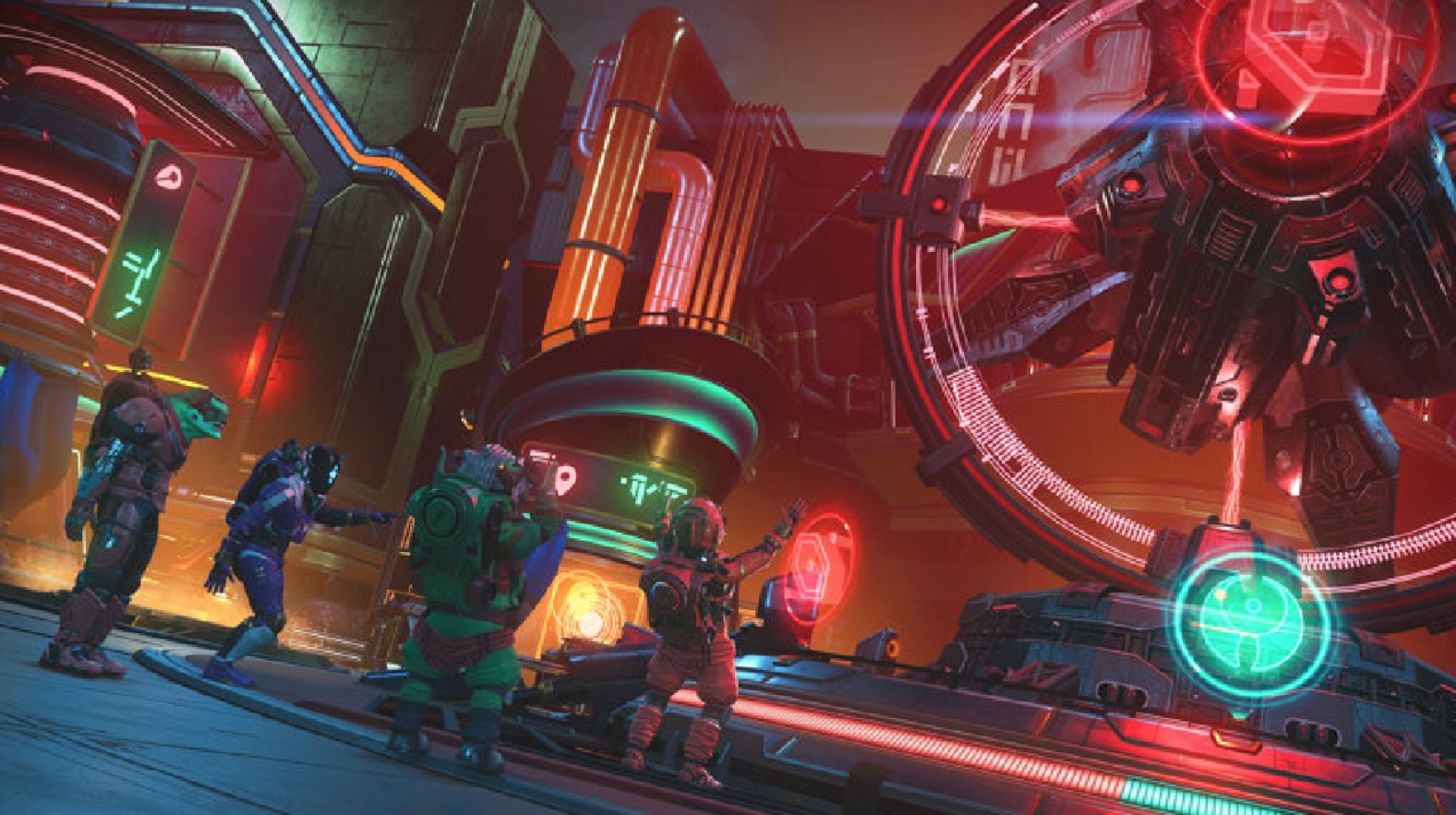
This is the part of the update that surprised me most. The Hive Expedition splits the global player base into three groups. Each group has its own set of missions and targets, but all three feed into a single community progress bar. The idea is that no single group can complete the expedition alone. Everyone has to contribute.I have seen community events in No Man’s Sky before, but this structure feels more intentional. You are assigned to a group when you start the expedition. Your missions are specific to that group. And the rewards at the end depend on how much of the shared goal the entire community managed to complete.It is a clever way to make a solo-friendly game feel genuinely multiplayer without forcing you into a lobby or a co-op session. You are playing your own game, but your actions have weight beyond your own save file.No Man’s Sky on Nintendo Switch 2
The Switch 2 version of No Man’s Sky is worth talking about separately because it is a genuinely improved experience. The game runs at higher frame rates, loads faster, and looks significantly better than the original Switch version. If you already had the game on Switch, the upgrade is free.Cross-save support means your existing progress carries over. If you have hundreds of hours on PS5 or PC, you can pick up exactly where you left off on Switch 2. That is not a small thing. Being able to play the full game during a commute or a lunch break without losing progress is the kind of feature that changes how you engage with a 200-hour open world experience.The Swarm update is available on Switch 2 from launch, so you are not waiting on a delayed port. Everything covered in this article applies to that version.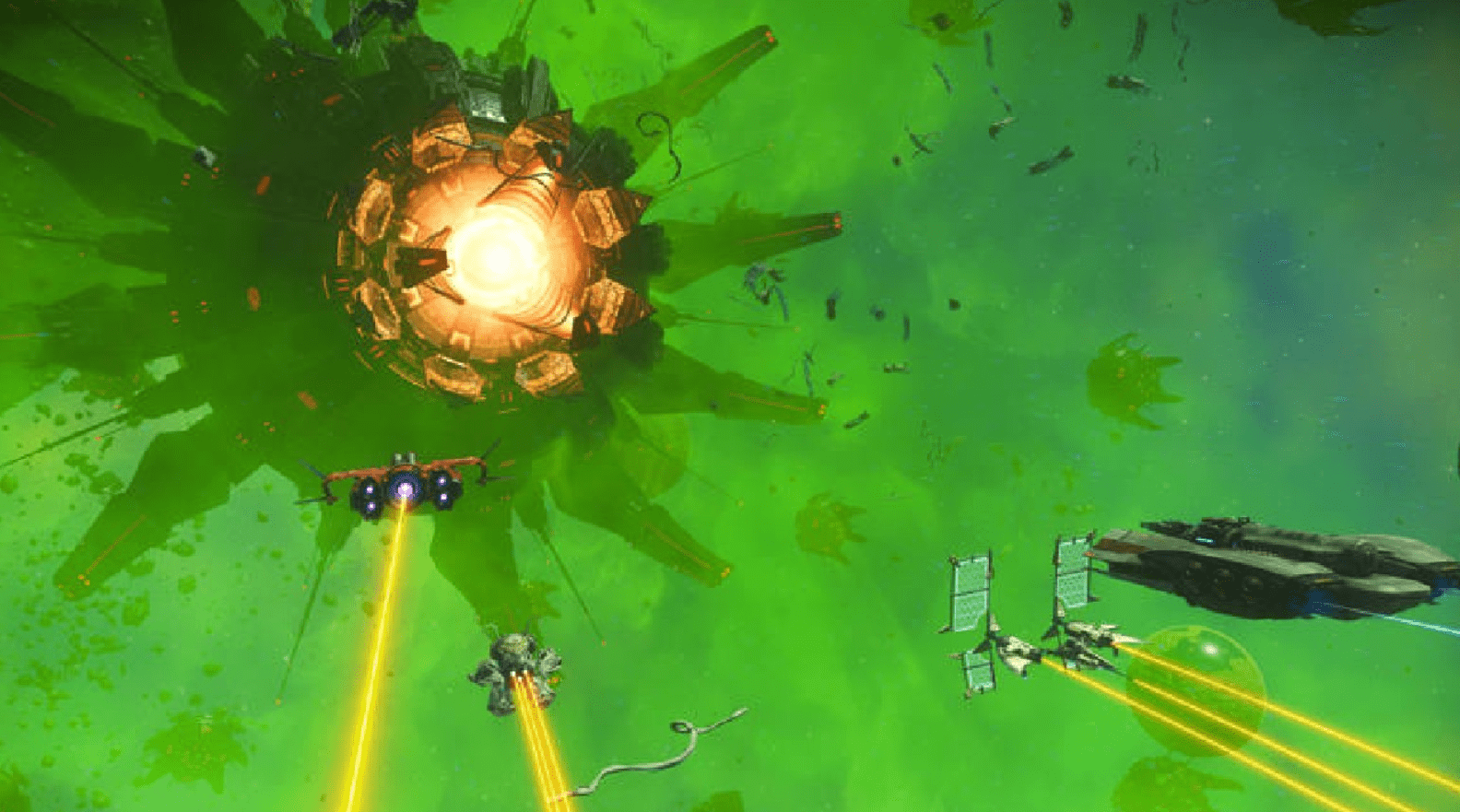
Full Controller Button Layout Guide for PC and Xbox
Whether you are a returning player or coming in fresh for the Swarm update, the controller layout in No Man’s Sky has a lot going on. Here is a complete breakdown so you are not fumbling through menus during a hive ship encounter.Xbox Controller Layout
| Button / Input | On Foot Action | In Ship Action | In Menu |
|---|---|---|---|
| Left Stick | Move character | Pitch and roll ship | Navigate options |
| Right Stick | Camera / look around | Camera pan | Scroll lists |
| Left Stick Click (L3) | Sprint toggle | Boost / afterburner | Not used |
| Right Stick Click (R3) | Melee attack | Not used | Not used |
| A Button | Interact / confirm | Confirm | Select / confirm |
| B Button | Jump / jetpack | Land / take off | Back / cancel |
| X Button | Reload / secondary action | Weapon switch | Context action |
| Y Button | Torch / flashlight toggle | Target lock toggle | Sort inventory |
| Left Bumper (LB) | Switch multi-tool mode | Pulse engine toggle | Tab left |
| Right Bumper (RB) | Scan / analysis visor | Shield recharge | Tab right |
| Left Trigger (LT) | Aim / scope | Fire secondary weapon | Not used |
| Right Trigger (RT) | Fire weapon / dig | Fire primary weapon | Not used |
| D-Pad Up | Emote wheel | Warp drive charge | Not used |
| D-Pad Down | Marker / waypoint | Landing gear toggle | Not used |
| D-Pad Left | Quick access left | Weapon slot left | Not used |
| D-Pad Right | Quick access right | Weapon slot right | Not used |
| Start / Menu Button | Open main menu / pause | Open main menu / pause | Pause |
| Select / View Button | Open quick menu | Open quick menu | Not used |
PC Controller Layout (Xbox Controller on PC via Steam)
When you play No Man’s Sky on PC with an Xbox controller through Steam, the layout mirrors the console version almost exactly. The key difference is that PC allows you to rebind every input through the in-game settings or through Steam Input. Here are the defaults:| Button / Input | On Foot Action | In Ship Action | Notes |
|---|---|---|---|
| Left Stick | Move | Pitch and roll | Sensitivity adjustable in settings |
| Right Stick | Look | Camera | Invert Y option in settings |
| A | Interact | Confirm / select | Same as console |
| B | Jump / jetpack | Take off or land | Hold for sustained jetpack |
| X | Reload | Switch weapons | Hold to pick up items |
| Y | Torch toggle | Target lock | Hold Y opens build menu on foot |
| LB | Multi-tool mode switch | Pulse engine | Tap to cycle modes |
| RB | Analysis visor / scanner | Shield boost | Hold to scan environment |
| LT | Aim down sights | Secondary fire | Partial press works for aim assist |
| RT | Shoot / dig / build | Primary fire | Hold for continuous mining beam |
| L3 | Sprint | Boost | Toggle sprint is available in settings |
| R3 | Melee | Not assigned | Can be rebound |
| D-Pad Up | Emote wheel | Warp charge | Hold for full emote list |
| D-Pad Down | Place waypoint | Gear toggle | Marks points of interest |
| D-Pad Left / Right | Shortcut wheel | Weapon cycle | Customizable in quick menu |
| Menu | Pause / main menu | Pause / main menu | Leads to save, options, quit |
| View | Quick menu | Quick menu | Access life support, hazard, suit |
Combat Tips Based on the Controller Layout
For the hive ship encounters specifically, there are a few input habits worth building before you fly into one of these fights:- Use LB to switch your multi-tool to Mining Laser mode when you need to crack open drone wreckage for materials. Switch back to Boltcaster or Scatter Blaster for direct combat using the same button.
- In ship combat, RT is your primary fire but LT fires your secondary. Make sure your secondary is something useful before entering a hive zone. Rocket launchers and infra-knife accelerators both perform well against hive ships.
- L3 boost in ship is your emergency out when drone swarms get too thick. Use it to create distance, recharge shields with RB, then re-engage.
- RB on foot activates the scanner, which shows nearby resources with colored markers. During the Hive Expedition missions, scanning frequently helps you locate required materials faster.
- Hold Y on foot to open the build menu. If you are in the middle of a planet-side expedition mission and need to set up a shelter during a storm, this is the fastest way in.
Keyboard and Mouse Layout for PC Players
| Key | On Foot | In Ship |
|---|---|---|
| W A S D | Move | Pitch and roll |
| Space | Jump / jetpack | Take off |
| Left Shift | Sprint | Boost |
| Left Mouse Button | Fire primary | Fire primary weapon |
| Right Mouse Button | Aim | Fire secondary |
| R | Reload | Weapon switch |
| F | Interact | Interact with cockpit |
| E | Quick menu | Quick menu |
| Tab | Inventory | Inventory |
| X | Torch toggle | Landing gear |
| Z | Scanner / visor | Scan |
| G | Grenade / secondary | Not assigned |
| B | Build mode | Not assigned |
| Escape | Pause menu | Pause menu |
| 1, 2, 3 | Multi-tool mode switch | Weapon slots |
| Q | Pulse toggle | Pulse engine |
| C | Melee | Not assigned |
Game Modes in No Man’s Sky and Which One to Pick
No Man’s Sky gives you real choices about how hard you want the game to be. This matters a lot in the context of the Swarm update because hive ship encounters scale differently depending on your mode.Normal Mode is the default experience. Resources are available in reasonable quantities, enemies are aggressive but manageable, and deaths set you back without being devastating. Most players should start here.Relaxed Mode reduces pressure across the board. Enemies are less aggressive, resources are more abundant, and survival mechanics are forgiving. If you want to focus on exploration and the Hive Expedition story content without getting wiped repeatedly in space combat, this is the right choice.Survival Mode is genuinely difficult. Enemy attacks hit harder, resources are scarce, and every resource decision matters. Hive ship encounters in Survival Mode are punishing. You need upgraded gear, a well-built ship, and a plan. If you enjoy that kind of pressure, the encounters in this mode are some of the most intense the game offers.Permadeath Mode combines Survival difficulty with permanent saves. If you die, that save is gone. This mode is for experienced players who know the systems well. The hive ship fights in Permadeath are absolutely not something to attempt with base gear.Creative Mode removes survival mechanics entirely. You can build, explore, and engage with the Hive Expedition content without any combat pressure. Ship destruction does not end your run. Good for players who want the narrative content without the challenge.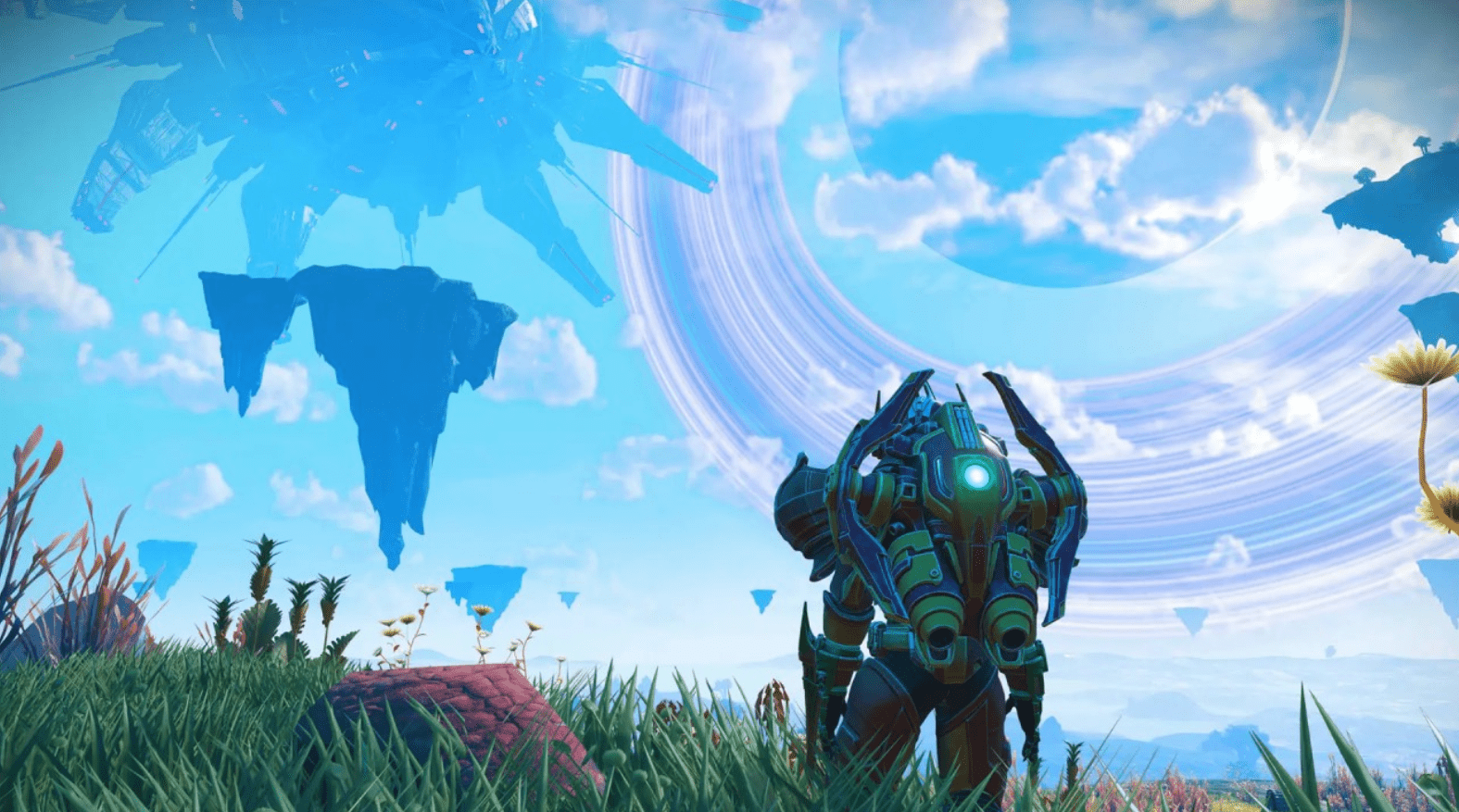
How No Man’s Sky Has Changed Since Launch
If you walked away from No Man’s Sky in the first year and never came back, you are essentially thinking about a completely different game. The version that exists now has almost nothing in common with the 2016 release beyond the core exploration loop and the procedural generation engine.Here is a short timeline of the major content additions that changed the game:- Foundation Update added base building and survival mode
- Pathfinder brought land vehicles and PS4 Pro support
- Atlas Rises expanded the story, added multiplayer glimpses, and introduced portals
- Next was the full multiplayer overhaul, including third-person view and joint exploration
- Beyond added VR support and the online Nexus hub
- Origins completely regenerated the universe with new terrain and visual diversity
- Companions added alien creature taming and breeding
- Outlaws brought piracy, illegal goods, and solar ship types
- Interceptor added corrupted sentinel planets and a new ship class
- Echoes expanded Sentinel lore and added aquatic robot life forms
- Omega revamped the tutorial and introduced the Expeditions update path
- Worlds Part I and II improved planetary generation significantly
- Swarm is the current update introducing hive ships and the community expedition system