Fire Emblem Fortune’s Weave Release Date and Platform
Fire Emblem: Fortune’s Weave launches on September 17, 2026 exclusively on Nintendo Switch 2. Nintendo confirmed this date during the June 9, 2026 Nintendo Direct. The game will not run on the original Nintendo Switch. If you are still on the first Switch, you will need a hardware upgrade to play this one. Pre-orders went live immediately after the Direct ended. The standard digital edition and physical edition are both available for pre-order now through the Nintendo eShop and major retailers including Best Buy, GameStop, Amazon, and Walmart. The special Dagdan Collection physical edition sold out on the Nintendo Store within hours of going up. September 17 gives fans roughly three months to save up, decide which edition they want, and figure out whether the price makes sense for them personally. That last part is where things get complicated.What Fire Emblem Fortune’s Weave Actually Costs
Here is the full pricing breakdown as confirmed by Nintendo following the June 2026 Direct:- Digital Edition: $69.99
- Standard Physical Edition: $79.99
- Dagdan Collection (Special Physical Edition): $119.99
Why the $80 Physical Price Is Causing So Much Debate
Before Fire Emblem: Fortune’s Weave, only one other Nintendo Switch 2 game carried an $80 physical price tag: Mario Kart World. That game is arguably Nintendo’s biggest launch title and one of the best selling Switch games ever made. Comparing Fire Emblem to Mario Kart in terms of mainstream reach is a stretch, and a lot of players are making exactly that point. Fire Emblem is a beloved franchise with a dedicated audience. Three Houses on Nintendo Switch was a massive commercial and critical success. But Fire Emblem has never been in the same conversation as Mario, Zelda, or Pokemon when it comes to raw sales numbers. Nintendo’s own investor reports reflect that distinction clearly. So when Nintendo prices Fortune’s Weave identically to Mario Kart World in physical form, people ask why. A former Nintendo marketing executive made comments after the Direct pointing out that Fire Emblem fans are among the most dedicated in gaming. His argument was that the audience wants physical copies, wants to support the series, and will pay the premium. He predicted the Dagdan Collection would sell out quickly. He was correct. But “fans will pay it anyway” is not the same as “the price is fair,” and that distinction matters to a lot of people in this community. There is also something worth noting about what the $80 physical price signals for the future. Titles like Yoshi and the Mysterious Book are priced at $70 physical and $60 digital. Star Fox sits at $60 physical and $50 digital. The lack of a consistent price ceiling across first party Switch 2 games makes it genuinely hard to predict what any upcoming release will cost. That uncertainty builds frustration over time. Many players have shifted their expectations toward Amazon and Walmart offering some kind of launch discount that brings the physical copy closer to $70. That has happened with some Nintendo titles before, though Nintendo itself rarely offers discounts in the first few months after launch.Nintendo Variable Pricing on Switch 2 Explained
Nintendo officially calls what it is doing “variable pricing.” The idea is that different games carry different price points based on scale, production costs, and market positioning. In theory, that makes sense. A massive open world game with hundreds of hours of content costs more to make than a small arcade style title. Charging more for it is not unreasonable. In practice, the system has felt inconsistent to players. The Switch 2 launched with Mario Kart World at $79.99 digital and $79.99 physical, before Nintendo introduced the digital discount structure. Other Switch 2 editions of older Switch games also carry $80 price tags because Nintendo calculates the game price plus a $20 upgrade fee and bundles them together rather than dropping prices as the hardware cycle moves on. Consumer advocacy groups have raised broader questions about gaming price increases across the industry, not just at Nintendo. The $70 standard that started with PlayStation 5 and Xbox Series X launches has now crept upward in some cases. Nintendo is not alone in raising prices, but it is drawing attention here because the pricing varies so much within its own first party lineup in the same console generation. What the variable pricing model does create is a situation where buying any new Nintendo Switch 2 game feels like a guessing game. You do not know if the next title you are excited about will land at $50 digital or $80 physical. That unpredictability wears on people who are planning their gaming budgets.Fire Emblem Fortune’s Weave Story Structure and Single Protagonist System
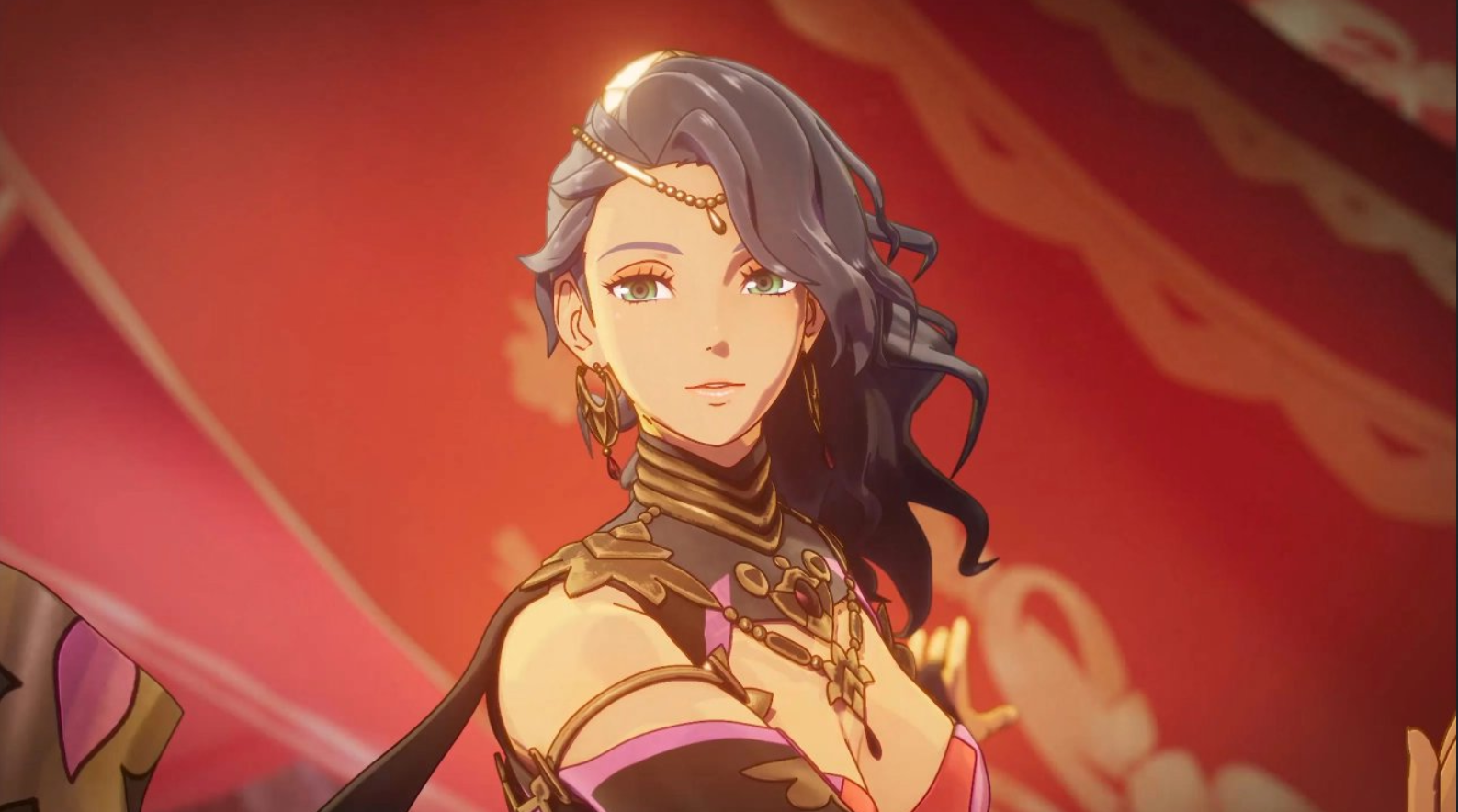
Setting the pricing aside for a moment, the actual game looks worth talking about on its own terms. The June Direct trailer revealed something genuinely new for the series: a single protagonist selection system where you pick one main character at the start and follow their full story arc through the entire game. This is a significant departure from how recent Fire Emblem games have handled their narratives. In Fire Emblem: Three Houses, for example, you chose a house and a route, but the protagonist Byleth remained the same across all versions. In Fortune’s Weave, different protagonists appear to experience the world and its conflicts through different lenses entirely, which means multiple playthroughs tell different stories rather than just showing different branching endings of the same story. From what I could piece together watching the trailer multiple times, switching between protagonist paths likely requires starting a new save file rather than loading a branch point. If that is how it works, this design naturally encourages second and third playthroughs. It also means your first run through the game could feel meaningfully different from a friend’s first run through the same game depending on who each of you chose. That kind of replay value is exactly what makes tactical RPGs worth the investment for long term fans. It is also the kind of thing that can help justify a higher price point if the game delivers on what the trailer suggests. The real question is whether Nintendo has built enough content into each protagonist route to make every playthrough feel full and complete rather than artificially extended.Gameplay and Combat in Fire Emblem Fortune’s Weave
The combat footage shown in the Direct confirms Fortune’s Weave keeps the core grid based tactical RPG format Fire Emblem is known for. Units move across tile maps, engage in turn based combat with weapon triangle advantages and disadvantages, and permanent death remains a mechanic based on what has been shown in trailers, though players will almost certainly have a Casual Mode option that removes permadeath entirely as has been standard for the series since Fire Emblem Awakening. The visual presentation of battles looks noticeably upgraded from Fire Emblem Engage. Character models show more detail during combat animations, and the environments in battle maps look more dynamic. Spell effects and skill activations appear much more elaborate in the footage Nintendo showed. Character supports and base camp interactions also appeared briefly in the trailer. The support conversation system has been a fan favorite since it was introduced properly in Fire Emblem: The Binding Blade and refined significantly through Awakening, Fates, and Three Houses. Fortune’s Weave appears to continue that tradition with dialogue driven relationship building between units. New players to the series should know that Fire Emblem is accessible even without prior experience in the franchise. Each game tells its own self contained story. You do not need to have played any other Fire Emblem game to understand or enjoy Fortune’s Weave. The series consistently introduces its world and characters from the ground up, which makes any entry a reasonable starting point.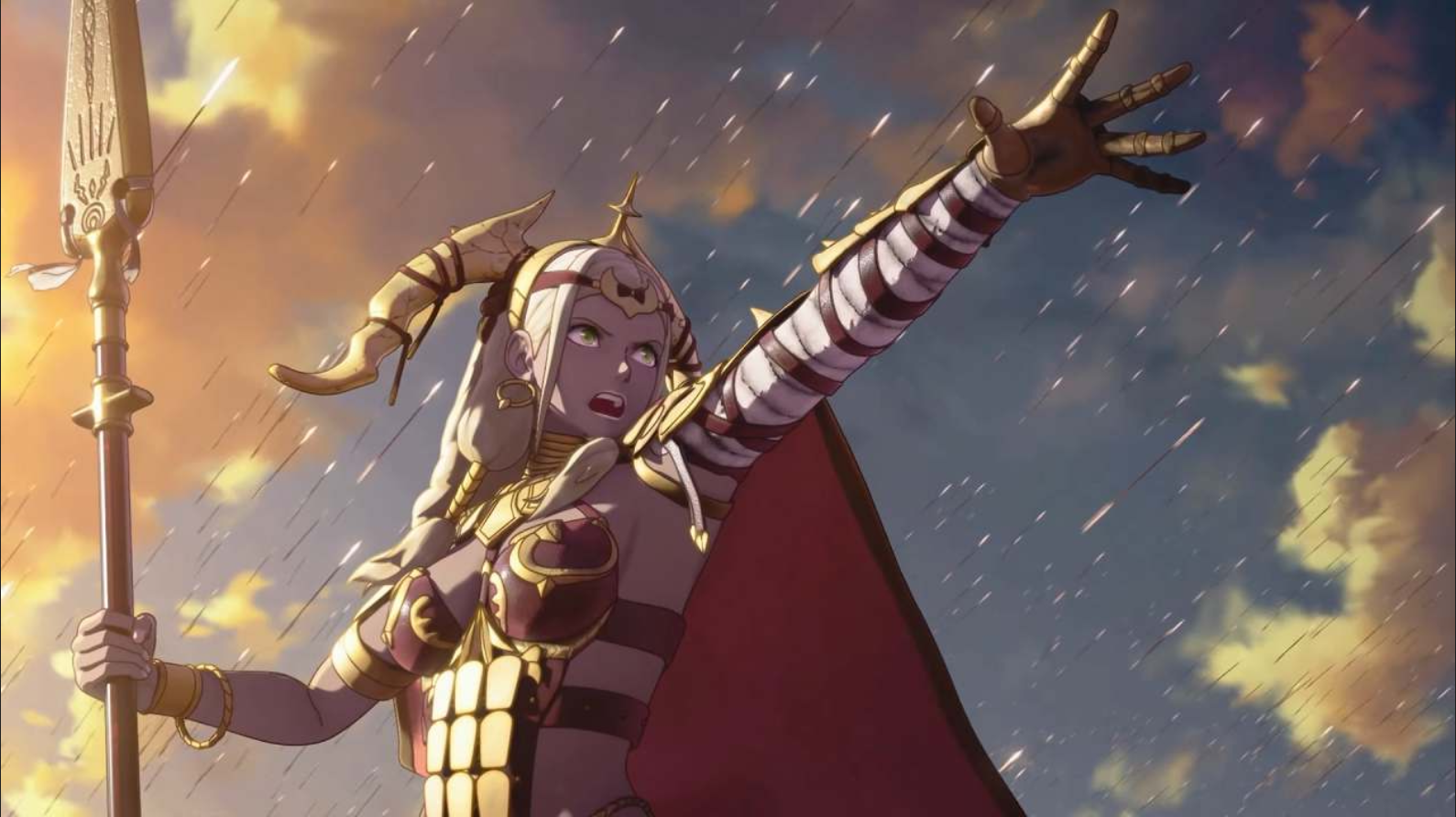
Is Fire Emblem Fortune’s Weave Worth the Price
Nobody can answer this fully yet because the game is not out until September. What we can do is look at what Nintendo has shown and weigh it against what the game costs. A multi-protagonist story structure with genuinely different narrative perspectives per character adds real replayability. The tactical RPG format has always rewarded multiple runs because unit builds, relationships, and strategies can vary dramatically. If Nintendo delivers on the protagonist variety the trailer hinted at, the content volume here could legitimately justify the price for dedicated players. The concern is that $79.99 physical is a lot to spend on a game before reviews are out. Fire Emblem games have had mixed critical receptions in the past. Engage, the most recent mainline entry, earned strong reviews for gameplay and weaker notes for its story. If Fortune’s Weave stumbles narratively but charges $80 for a physical copy, that combination will be harder to defend. My honest take is this: wait for the first wave of reviews before committing to the physical version at full price. If you are someone who always goes digital, the $69.99 entry point sits more comfortably in line with what premium games across the industry cost right now. If you specifically want a physical copy and the box on your shelf matters to you, that is a personal decision only you can make. But going in at $80 on day one for a game you have not played yet is a risk regardless of how much you like the series.The Dagdan Collection Special Edition Contents and Value
The Dagdan Collection is the premium physical package for Fire Emblem: Fortune’s Weave. At $119.99 it includes the full game plus additional physical items. Based on what Nintendo has confirmed and what listings show, the collection is named after Dagdan, which appears to be a kingdom or location central to the game’s world. Collector’s editions for Fire Emblem games have traditionally included items like art books, soundtracks, figures, and map replicas. Full Dagdan Collection contents had not been comprehensively listed across all retail pages as of publication, but the Nintendo Store listing confirms it goes well beyond the standard game. The fact that it sold out rapidly on the Nintendo Store suggests strong demand despite the price. Collector’s editions of Fire Emblem games tend to retain or increase their value over time, particularly in sealed condition. If you missed the Nintendo Store listing, check secondary retail and watch for restocks before the September launch.What Other Switch 2 Games Cost by Comparison
Context helps when evaluating a price. Here is how Fire Emblem: Fortune’s Weave sits against other confirmed Switch 2 game prices:| Game | Digital Price | Physical Price |
|---|---|---|
| Mario Kart World | $79.99 | $79.99 |
| Fire Emblem: Fortune’s Weave | $69.99 | $79.99 |
| Yoshi and the Mysterious Book | $59.99 | $69.99 |
| Star Fox | $49.99 | $59.99 |
What Happens Next for Nintendo Pricing
Industry watchers are already pointing to future releases as the next test cases. Nintendo’s upcoming release schedule includes a Legend of Zelda: Ocarina of Time remake. If that title carries $80 physical pricing, it will generate significantly more debate than Fortune’s Weave has because Zelda is a tier one Nintendo brand. The same would apply to any upcoming Metroid or Donkey Kong releases. Some analysts have noted that Nintendo is essentially stress testing its variable pricing model with each new announcement. Fortune’s Weave is the current test. If it sells well despite the $80 physical price, Nintendo will have data supporting continued premium pricing for games that fall below the Zelda and Mario tier. If sales underperform, that might prompt a rethink. The Xenoblade Chronicles series is also expected to have a new entry in the future. Based on the current pricing model and comments from the same former Nintendo marketing executive who discussed Fortune’s Weave, Xenoblade would likely follow a similar pricing structure. Xenoblade fans are already noting this.Fire Emblem Fortune’s Weave Full Controller Button Layout Guide for PC and Xbox
One of the most common questions for any Fire Emblem game reaching players outside the original Nintendo hardware is how the controls translate to other controllers. Fire Emblem: Fortune’s Weave is a Nintendo Switch 2 exclusive, but PC emulation of Switch titles has a history, and many players use Xbox controllers when playing Nintendo games through unofficial means or on PC via Nintendo’s own cloud options in certain regions. Here is a complete reference guide covering both controller setups based on the standard Fire Emblem tactical RPG control scheme the series has used consistently since Fire Emblem Awakening.Understanding How Fire Emblem Controls Work
Before mapping buttons, it helps to understand how Fire Emblem actually plays at a mechanical level. The game operates in two primary modes: the map view where you move a cursor around a grid battlefield and issue commands to units, and the battle animation view where combat plays out visually between units. A third mode covers base camp or hub navigation where you walk around and interact with characters and facilities between battles. Each mode uses slightly different button functions.Nintendo Switch 2 Joy-Con and Pro Controller Default Layout
This is the base layout Fortune’s Weave is designed around. Knowing this first makes the PC and Xbox mappings easier to understand:- Left Stick / D-Pad: Move cursor on map, navigate menus
- Right Stick: Rotate camera in some scenes, scroll information panels
- A Button: Confirm selection, advance dialogue, interact
- B Button: Cancel, close menu, back out of command
- X Button: Open unit status screen, view detailed unit information
- Y Button: Open terrain information, view map information overlay
- L Button: Cycle through units (previous), rotate camera left
- R Button: Cycle through units (next), rotate camera right
- ZL Button: Hold to move cursor faster, access secondary command menu in some contexts
- ZR Button: Skip battle animation, hold to fast forward
- Plus Button: Open main menu, pause game
- Minus Button: Open settings, toggle game options during play
- Left Stick Click (L3): Reset camera to default position
- Right Stick Click (R3): Toggle minimap or zoom level depending on context
Xbox Controller Button Layout for Fire Emblem Fortune’s Weave on PC
If you are playing on PC through an emulator like Ryujinx or Yuzu (or any successor emulator), the Xbox controller maps as follows to the Switch 2 Pro Controller layout. This mapping assumes you are using the emulator’s default Nintendo to Xbox translation, which most modern emulators apply automatically. If yours does not, use these assignments as your manual configuration reference.| Switch 2 Button | Xbox Controller Button | Function in Fire Emblem |
|---|---|---|
| A Button | B Button | Confirm, advance dialogue, select unit, execute command |
| B Button | A Button | Cancel, close menu, undo cursor movement before committing |
| X Button | Y Button | Open unit status screen, view full stats and inventory |
| Y Button | X Button | Terrain info overlay, map information, view enemy movement range |
| L Button | LB (Left Bumper) | Cycle to previous unit, rotate camera left in hub areas |
| R Button | RB (Right Bumper) | Cycle to next unit, rotate camera right in hub areas |
| ZL Trigger | LT (Left Trigger) | Hold to accelerate cursor movement, secondary command access |
| ZR Trigger | RT (Right Trigger) | Skip or fast forward battle animation, hold to speed through combat |
| Plus Button | Start / Menu Button | Open main game menu, access options, save game |
| Minus Button | Select / View Button | Open settings, adjust battle animation and sound settings |
| Left Stick | Left Stick | Move map cursor, navigate menus, walk in hub mode |
| Right Stick | Right Stick | Rotate camera, scroll unit info panels |
| L3 (Left Stick Click) | LS (Left Stick Click) | Reset camera to default view angle |
| R3 (Right Stick Click) | RS (Right Stick Click) | Toggle minimap display or zoom level |
| D-Pad Up | D-Pad Up | Move cursor up, scroll up in menus |
| D-Pad Down | D-Pad Down | Move cursor down, scroll down in menus |
| D-Pad Left | D-Pad Left | Move cursor left, navigate to previous tab in status screens |
| D-Pad Right | D-Pad Right | Move cursor right, navigate to next tab in status screens |
PC Keyboard and Mouse Controls for Fire Emblem Fortune’s Weave
If you prefer keyboard and mouse for PC play, here is the recommended keyboard mapping based on standard emulator defaults for Fire Emblem games. These settings assume the emulator’s default keyboard configuration, which you can adjust through the input settings in Ryujinx or comparable software.| Switch 2 Button | Keyboard Default | Function |
|---|---|---|
| A Button (Confirm) | Z or Enter | Confirm selection, advance text, select unit |
| B Button (Cancel) | X or Backspace | Back out of menu, cancel current action |
| X Button (Unit Status) | A | View full unit stats screen |
| Y Button (Map Info) | S | Terrain overlay, movement range display |
| L Button | Q | Previous unit, camera rotate left |
| R Button | E | Next unit, camera rotate right |
| ZL Trigger | Left Shift | Accelerate cursor, secondary menu |
| ZR Trigger | Right Shift or Space | Skip battle animation, fast forward |
| Plus Button | Return / Enter | Main menu, pause, save |
| Minus Button | Escape | Settings, options |
| D-Pad / Move Cursor | Arrow Keys or WASD | Move map cursor, menu navigation |
| L3 Camera Reset | F | Reset camera angle |
| R3 Minimap Toggle | M | Toggle minimap or zoom |
Advanced Control Tips for Fire Emblem Fortune’s Weave Battles
Knowing which button does what is the foundation. Using controls efficiently during actual gameplay is what separates players who feel comfortable in tactical RPG battles from those who feel overwhelmed. Here are specific advanced control techniques that apply to the standard Fire Emblem battle control scheme: Viewing All Enemy Ranges at Once: On the map screen, hold ZL (or LT on Xbox) and press Y (or X on Xbox) to toggle a full map view of all enemy unit movement ranges. This shows you every tile any enemy can reach this turn, which is essential for positioning your units safely. New players often miss this and wonder why their units keep getting surrounded. Cycling Through Undeployed Units Quickly: During the pre-battle preparation screen, use L and R (LB and RB on Xbox) to cycle through all available units. This is faster than scrolling through a list. Combine this with pressing X (Y on Xbox) while on a unit to pull up their full status and plan your roster before deploying. Undo Movement Before Confirming: In Fire Emblem, you can move a unit to a tile and then press B (A on Xbox) before confirming an action to undo the movement and return the unit to their original position. This only works before you select a final action. Once you choose to attack, use an item, or end turn, the action cannot be undone in Classic Mode. In Casual Mode, some games allow broader undo options. Skipping Battle Animations: Press ZR (RT on Xbox) during any battle animation to skip it and jump straight to the result. Holding ZR speeds through the sequence faster. After a few hours of play you will want to skip most animations unless they involve a particularly impressive skill activation you want to watch. Quick Terrain Check: Press Y (X on Xbox) while hovering the cursor over any tile to see the terrain type and its defense and avoid bonuses. This matters a lot in harder difficulty settings where positioning on favorable terrain genuinely changes battle outcomes. Fast Cursor Movement: Holding ZL (LT on Xbox) while moving the cursor with the left stick or D-pad moves it much faster across large maps. On big battlefields this saves a significant amount of time each turn.Hub and Base Camp Navigation Controls
Between battles, Fire Emblem games typically offer a hub area where you walk around, talk to characters, manage supports, upgrade facilities, and prepare for the next mission. Fortune’s Weave appears to continue this format based on what was shown in the Direct footage. Here is how hub controls typically function:- Left Stick: Walk your protagonist around the hub environment
- Right Stick: Rotate and adjust camera angle
- A Button (B on Xbox): Interact with a character or facility when the prompt appears
- B Button (A on Xbox): Cancel current interaction, back out
- X Button (Y on Xbox): Open the hub menu directly from anywhere in the area
- Y Button (X on Xbox): Context sensitive secondary interaction, examine objects or lore items
- Plus Button (Start/Menu on Xbox): Open the full game menu including save options, support log, item management, and battle prep
- L Button (LB on Xbox): Cycle to previous character in support list view when reviewing available conversations
- R Button (RB on Xbox): Cycle to next character in support list
- ZL Trigger (LT on Xbox): Hold to sprint or move faster through the hub, depending on game settings
- ZR Trigger (RT on Xbox): Speed up or skip non-interactive hub cutscenes
Dialogue and Cutscene Controls
Fire Emblem games involve a significant amount of story dialogue. Knowing how to navigate it without accidentally skipping something you wanted to read is important:- A Button (B on Xbox): Advance one line of dialogue
- ZR Trigger (RT on Xbox): Hold to auto-advance text at a set speed, or tap to skip to the end of the current dialogue box
- B Button (A on Xbox): In most Fire Emblem games, pressing B during a dialogue sequence skips the entire conversation after a confirmation prompt. Some sequences cannot be skipped on first play
- Plus Button (Start on Xbox): Pauses auto-advance if you have it enabled and need to stop to read something carefully
- Left Stick or D-Pad: Some conversations allow you to scroll back through previous lines using up and down on the D-pad or left stick