
Mar 29
Warren Potter
I have played a lot of flight simulators over the years. Most of them put you in the cockpit, hand you a checklist, and send you off into a clear blue sky with a runway conveniently placed below your wheels. Lakehopper does none of that. It drops you into a flooded, mountainous world with a seaplane that needs real attention, cargo that needs delivering, and communities that depend entirely on you. That alone made me sit up straight.
Released on March 30, 2026, by indie developer Photon Games, Lakehopper is a seaplane flight simulator built around a persistent world where every flight you take affects the next one. Parts wear down. Deliveries have consequences. The plane does not fix itself. I find that kind of accountability in a simulator genuinely exciting, and I think a lot of flight sim fans will feel the same way.
This guide covers everything: game details, what makes it different, system requirements, full PC keyboard layout, Xbox controller button map, and a proper FAQ section at the bottom.
What Lakehopper Actually Is
At its core, Lakehopper is a physics-based seaplane flight simulator. The flight model aims for realism, which means takeoffs and landings on water behave the way they should, not the way arcade games want them to. Water physics are simulated in detail. The plane floats, taxis, lifts off, and touches down based on real aerodynamic and hydrodynamic principles.
You fly between isolated communities scattered across a 360,000 square kilometer map based on real world terrain. That is roughly 140,000 square miles of mountains, open water, and flooded valleys. The only way to reach most of these places is by seaplane, which is the whole point. You are not a commercial pilot flying routes between major airports. You are the person keeping remote settlements alive.
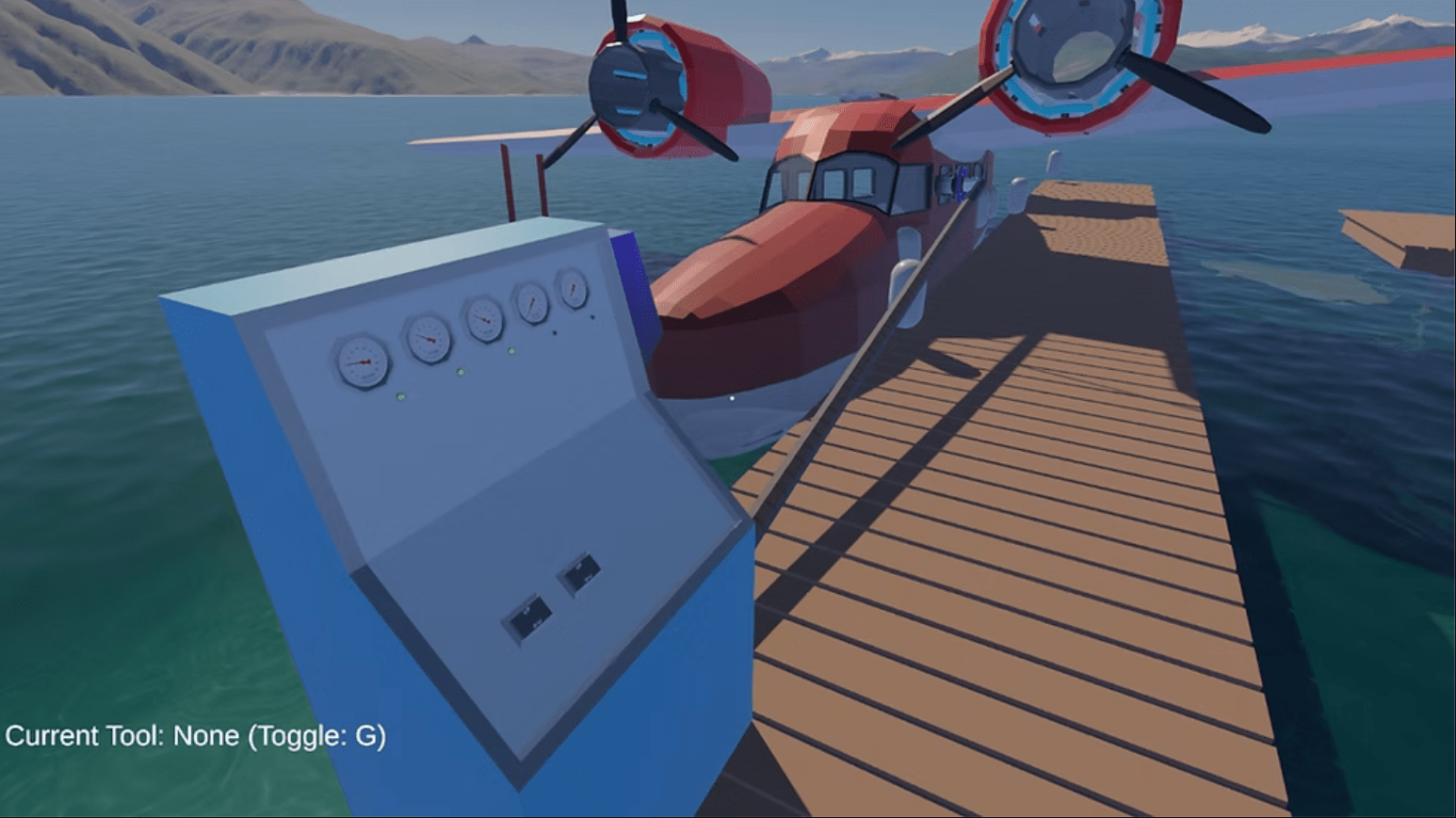
Your aircraft is a twin engine flying boat assembled from over 100 individual parts. Each part can wear out. Each part can fail if you ignore it long enough. That maintenance layer is what separates Lakehopper from most flight sims where the plane is just a vehicle. Here it is more like a partner that needs looking after.
Features Worth Knowing Before You Download
You Can Walk Around Inside the Plane
This is one of those details that sounds small and turns out to matter a lot. While in flight, you are not locked into the pilot seat. You can get up, move through the cabin, do repairs mid-air, and reconfigure systems. The game gives you a note about keeping the door closed and watching your step, which tells you exactly what kind of simulation this is.
Part-Level Maintenance
The game tracks the condition of individual components, not just a general health bar. A worn fuel pump behaves differently than a worn propeller blade. You check the status of parts, replace them before they fail, and manage the risk of flying with components that are getting close to their limit. Sometimes you will take that risk because a delivery is urgent. Sometimes you will regret it.
The Reference Binder
Inside the game you get a reference binder that works like a real pilot’s document folder. It holds your job list, navigational information, checklists, and assembly instructions. You actually use it during flights. That might sound tedious but it adds a layer of immersion that most simulators skip entirely.
The Map
360,000 square kilometers is a large number. To put it in context, that is close to the size of Germany. The terrain is based on real world landscapes, meaning the mountains and water bodies follow realistic geography rather than being procedurally scattered. Flying through it feels grounded, literally.
Persistent World
When a flight ends, the world does not reset. The communities you serve remember your deliveries. The plane remembers every hard landing. Fuel does not refill automatically. This persistent structure means your decisions carry forward across every session, which changes how you think about each flight.
System Requirements
Minimum Requirements (Windows)
- OS: Windows 10
- Processor: Intel i5-8500
- Memory: 6 GB RAM
- Graphics: NVIDIA GeForce GTX 1060
- Storage: 2 GB available space
- Sound Card: Built-in Stereo
The game also supports SteamOS and Linux, which is good news for Steam Deck users and Linux-native players. The storage requirement is modest at 2 GB, so even machines with smaller SSDs should be fine. The GTX 1060 as a minimum card tells you the visuals are not pushing ultra-high fidelity but are likely well optimized for the detail level offered.
Full PC Keyboard and Mouse Control Layout
Lakehopper supports gamepads, joysticks, yokes, throttle quadrants, and most common flight sim peripherals. It also includes detailed control rebinding options so you can remap everything to your preference. The layout below covers the default keyboard assignments based on standard flight simulator conventions used by Photon Games.
| Action | Default Key / Input |
|---|---|
| Pitch Up | Numpad 2 / S |
| Pitch Down | Numpad 8 / W |
| Roll Left | Numpad 4 / A |
| Roll Right | Numpad 6 / D |
| Yaw Left (Rudder) | Numpad 0 / Z |
| Yaw Right (Rudder) | Numpad Enter / X |
| Increase Throttle | Page Up / F3 |
| Decrease Throttle | Page Down / F2 |
| Full Throttle | F4 |
| Cut Throttle (Idle) | F1 |
| Flaps Up | F5 |
| Flaps Down | F8 |
| Water Rudder Toggle | W + Shift |
| Brakes (Water Drag) | Period (.) |
| Magnetos Toggle | M |
| Engine Start Left | Ctrl + E |
| Engine Start Right | Ctrl + Shift + E |
| Fuel Selector | Shift + F |
| Open Reference Binder | B |
| Open Cargo Menu | C |
| Walk Mode (Cabin) | Tab |
| Move Forward (Walking) | W |
| Move Backward (Walking) | S |
| Interact / Inspect Part | E |
| Open Parts Menu | P |
| Toggle External Camera | End |
| Cockpit View | Home |
| Pause | Escape |
| Screenshot | F12 |
| Map View | M (hold) |
| Radio Communications | R |
| Checklist Next Item | Enter |
| Zoom In (Cockpit) | Right Mouse Button + Scroll Up |
| Zoom Out (Cockpit) | Right Mouse Button + Scroll Down |
| Look Around (Cockpit) | Right Mouse Button + Drag |
Note: All bindings are fully remappable inside the settings menu. If you use a joystick or yoke, flight axes will automatically assign to your hardware axes on detection.
Full Xbox Controller Button Layout for Lakehopper
Lakehopper has built in gamepad support. The Xbox controller layout is designed to keep flight controls on the analog sticks where they feel natural, while secondary functions sit on the bumpers and triggers. Here is the full default button map.
| Action | Xbox Button |
|---|---|
| Pitch and Roll | Left Stick (Up/Down = Pitch, Left/Right = Roll) |
| Rudder / Yaw | Right Stick Left / Right |
| Look Around Cockpit | Right Stick (when in view mode) |
| Throttle Up | Right Trigger (RT) |
| Throttle Down | Left Trigger (LT) |
| Flaps Up | D-Pad Up |
| Flaps Down | D-Pad Down |
| Water Rudder Toggle | D-Pad Left |
| Brakes | D-Pad Right |
| Engine Start / Stop | Y Button |
| Interact / Inspect | A Button |
| Open Reference Binder | X Button |
| Open Cargo / Parts Menu | B Button |
| Walk Mode Toggle | Left Stick Click (L3) |
| Switch Camera View | Right Stick Click (R3) |
| Left Bumper (LB) | Magnetos / Fuel System Toggle |
| Right Bumper (RB) | Checklist / Next Item |
| Start Button | Pause Menu |
| Select / Back Button | Map View |
| Hold LB + Y | Radio Communications |
| Hold LB + A | Full Throttle |
| Hold LB + B | Cut Throttle to Idle |
Modifier combinations using LB give you access to advanced functions without removing flight controls from the primary buttons. The game supports full button rebinding so you can adjust this layout to match your personal preference or existing flight sim muscle memory.
Where to Download Lakehopper
Lakehopper is available on Steam for both Windows and Linux. You can find it by searching “Lakehopper” directly on the Steam store. The developer is Photon Games and the publisher is Photon Games, so it is a fully indie release. There is no third party storefront listing at this time.
The storage requirement of 2 GB means the download is quick even on slower connections. Given the persistent world design, you will want to store it on an SSD for faster load times between sessions, but it is not a strict requirement.
For players interested in real world aviation and simulation standards, you can learn more about seaplane flight principles through the FAA Pilot Training resources and general seaplane operations through the Seaplane Pilots Association.
Who Should Play Lakehopper
If you enjoy flight simulators that ask something of you beyond just flying, Lakehopper is worth your time. The maintenance system gives every flight a reason to care. The persistent world means bad decisions follow you. The map is big enough that exploration stays interesting across many hours.
If you are new to flight simulators entirely, the learning curve will be real. Start-up sequences require attention, water landings have their own technique, and the checklist system is not decoration. But that depth is exactly what dedicated sim players have been asking for in a seaplane focused title.
I think the walk-around cabin mechanic alone makes this worth trying. Being able to move through the plane mid-flight, check on a part that is making noise, and do a repair at 3,000 feet over open water is a level of immersion that most flight games do not even attempt.
FAQ: Lakehopper
Is Lakehopper available on Xbox or PlayStation?
As of the March 30, 2026 release, Lakehopper is available on PC via Steam only. It also supports SteamOS and Linux. There is no console version announced at this time, though the game does support Xbox controllers on PC.
Does Lakehopper support VR?
VR support has not been confirmed as part of the launch feature set. The game supports a range of peripherals including joysticks and yokes, but VR headset compatibility is not listed in the official system requirements at launch.
Can I use a joystick or flight yoke instead of a gamepad?
Yes. Lakehopper supports gamepads, joysticks, yokes, and throttle quadrants. Most common flight sim peripherals are compatible, and the game includes detailed control rebinding options so you can configure your setup properly.
What kind of cargo do you deliver in Lakehopper?
The game does not specify a single cargo type but focuses on connecting isolated communities that rely on seaplane delivery for supplies. The cargo mechanic is part of the job system tracked inside the in-game reference binder.
How realistic is the flight model?
Lakehopper uses a physics-based flight model designed to be realistic and challenging. Water physics simulate real seaplane behavior including floating, taxiing, takeoff, and landing on water surfaces. The start-up sequences and subsystem detail are aimed at simulation accuracy rather than arcade accessibility.
Does the game have multiplayer?
Multiplayer is not listed as a feature at launch. Lakehopper is a single player experience focused on the persistent world and individual pilot progression.
How large is the game map?
The map covers 360,000 square kilometers (approximately 140,000 square miles) based on real world terrain. It is a mountainous, flooded landscape where seaplanes are the only practical way to reach most destinations.
What happens if a plane part fails mid-flight?
Parts that are not maintained will eventually fail during a flight. The game simulates in-flight failures, which means you may lose engine function, control surfaces, or other systems mid-mission. You can attempt in-flight repairs by walking to the affected area inside the plane, depending on the severity of the failure.
Is Lakehopper good for beginners to flight simulation?
Lakehopper is aimed at players who enjoy detailed simulation. The maintenance system, checklist-based start-up sequences, and physics-based flight model mean there is a real learning curve. Beginners can still enjoy it but should expect to invest time in learning the systems before becoming comfortable in the air.
Where can I learn more about seaplane flying in real life?
The Seaplane Pilots Association is the primary resource for real world seaplane pilot training and certification information. The FAA website also covers floatplane and flying boat endorsements under its pilot certification guides.
Download Links
If you are facing any issue in downloading or need assistance Click here .