
Mar 30
Warren Potter
I still remember the first time I played the original House back in 2020. I was sitting in a dark room at 2 AM, completely alone, and I screamed so loud my neighbor knocked on the wall. That game hit differently. So when House 2 was announced by Bark Bark Games and published by Glowstick Entertainment, I genuinely lost sleep in the best possible way.
Now it is here. And yes, it is worse for your nerves. In the very best way.
This guide covers everything you need to know about House 2, from what the game actually is, to how to download it, full PC system requirements, a complete controller button layout for both PC and Xbox, gameplay tips, and a proper FAQ section at the end. Whether you are a returning fan of the original or a first-timer stepping into this nightmare, this article has you covered.
What Is House 2? The Story Behind the Sequel
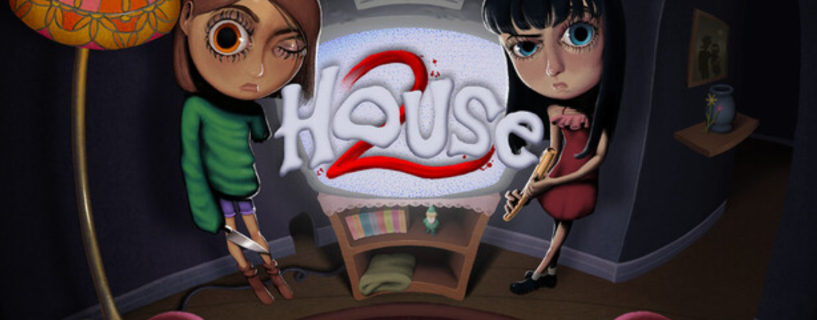
House 2 is a horror adventure game set in a house that actively wants you dead. You play as Tabby, a young girl caught in a brutal storm who finds herself trapped inside the same cursed house from the first game. The nightmare is back, and this time it has evolved.
The game is developed by Bark Bark Games and published by Glowstick Entertainment, with a release date in Q1 2026. It is a direct sequel to the 2020 horror game House, picking up Tabby’s story and expanding the curse mythology in ways that genuinely surprised me.
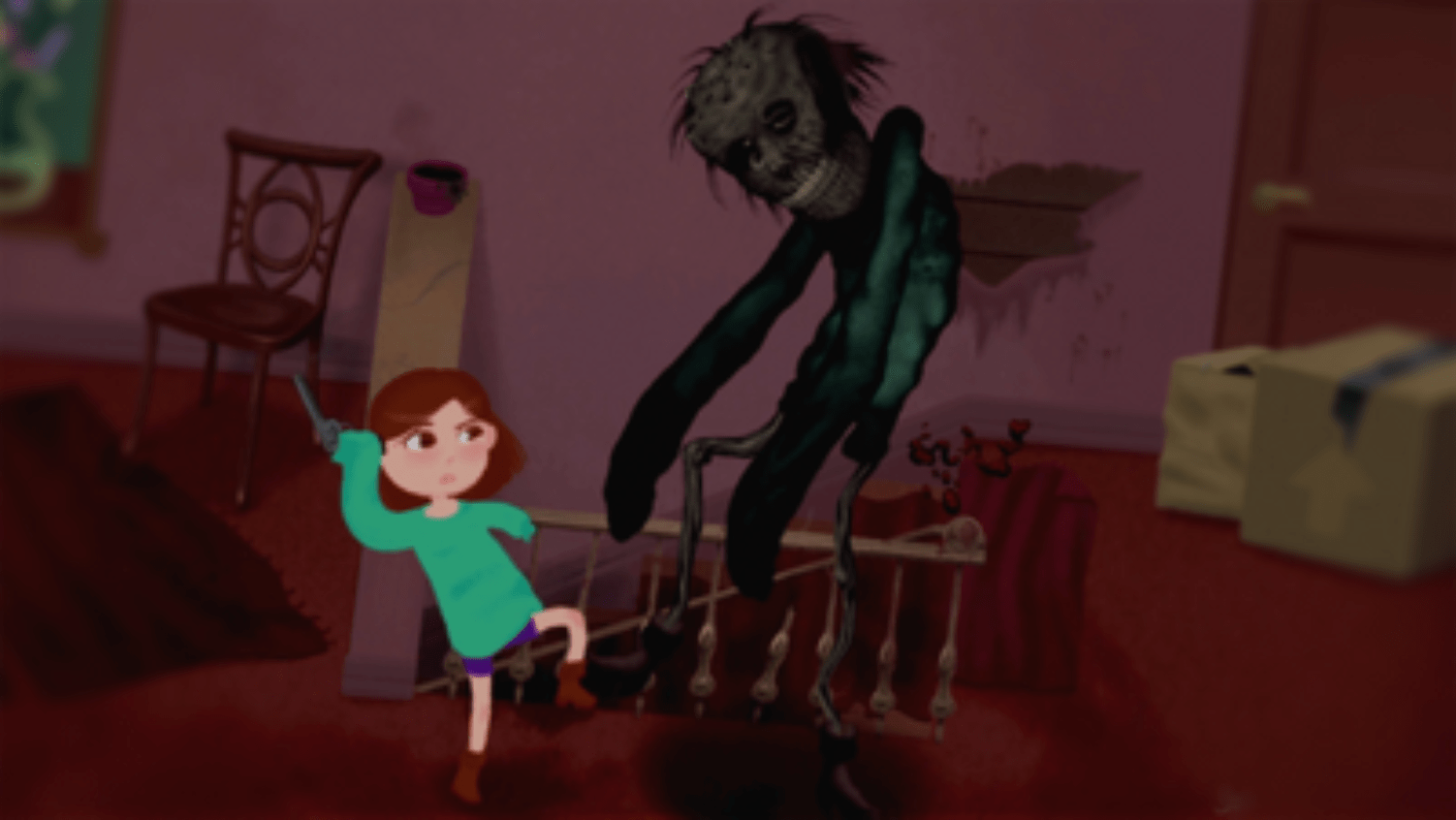
What makes this game stand out from the flood of indie horror titles right now is its hand-drawn storybook art style. Every death, every scare, every moment of grotesque cartoon violence is illustrated in a way that feels like a dark children’s book gone completely wrong. It is unsettling in a way that photorealistic horror simply cannot pull off.
The house itself is the real villain. It changes. It reacts. If you open a drawer and find something useful, that drawer might not be there the next time you pass by. The environment shifts based on your actions in real time, which creates a sense of paranoia that builds slowly and then hits you all at once.
House 2 Key Features Explained
A House That Reacts to You
This is the central mechanic of House 2 and it works incredibly well. The house does not stay the same between visits to a room. Rooms rearrange, doors appear and disappear, and items you left somewhere earlier may have moved or vanished. The game tracks what you do and responds to it, making every playthrough feel different depending on how you approach things.
When I first realized the kitchen layout had shifted after I backtracked, I stood still for a full ten seconds not because I was confused, but because a real feeling of dread crept in. The house knew I was there. That feeling never went away.
Multiple Endings and Non-Linear Gameplay
House 2 does not hold your hand and it does not have one correct path. The gameplay is non-linear, meaning you can approach problems in multiple ways and the story can branch significantly depending on your choices. The big question the game keeps asking you is whether to save your family or let them go, and the answer is not always as clear as it sounds.
There are multiple endings, and reaching the best one requires understanding the house’s logic rather than just surviving it. On my first run I made choices I thought were obviously right and ended up with one of the darker conclusions. Going back with different decisions felt genuinely rewarding.
The BarkStation Mini Games
Scattered through the house are playable PS1-inspired games on a fictional console called the BarkStation. These are fully functional little games within the game and they serve both as a breather from the horror and as lore pieces. Some of them are also part of puzzles. I will not spoil which ones, but paying attention to what you play in-game matters.
These are one of my favorite details in House 2. They feel genuinely crafted, not thrown in as decoration.
Elaborate Death Sequences
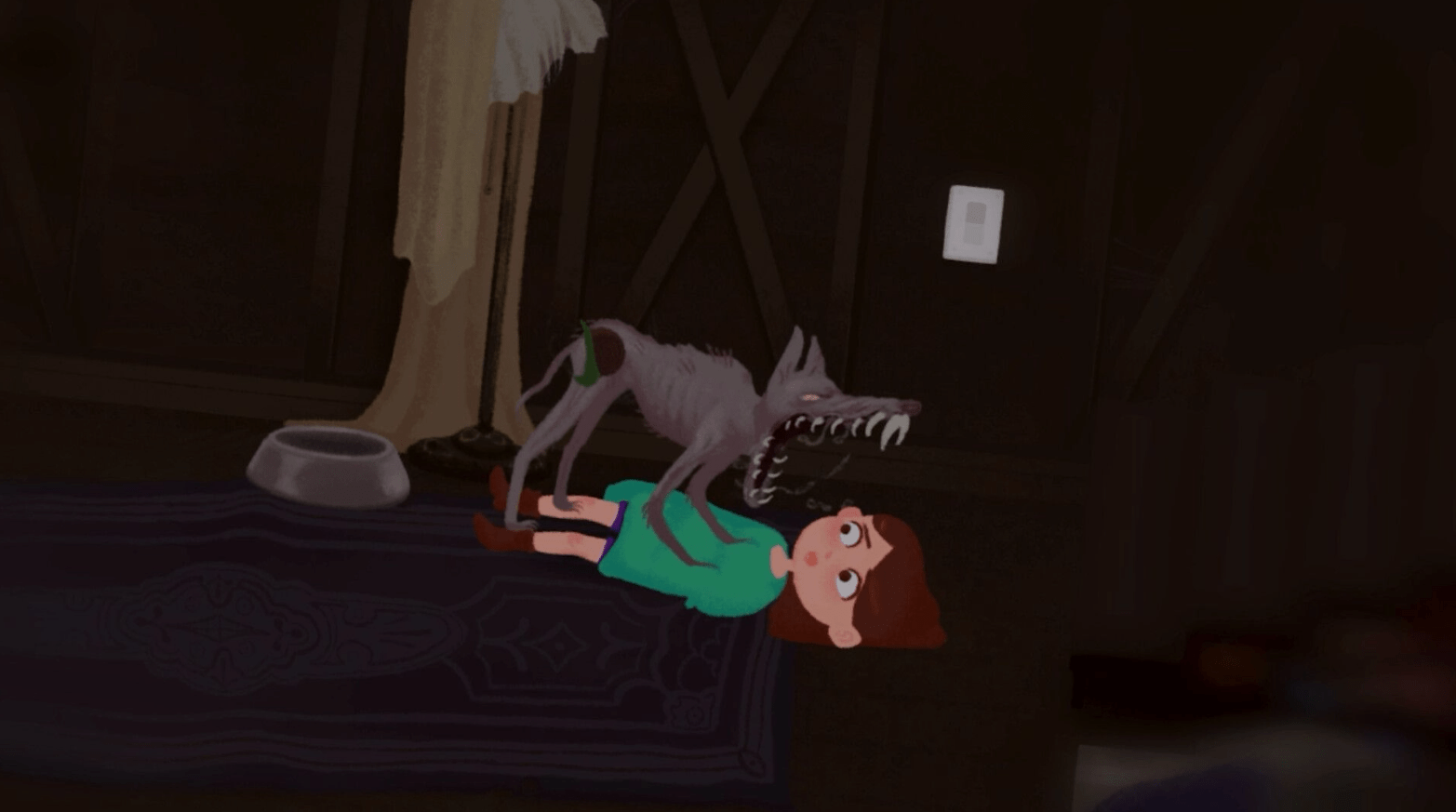
Dying in House 2 is an event. The hand-drawn art style means every death is illustrated in a cartoon but deeply unsettling way. The animations are elaborate and the game clearly put real effort into making death feel meaningful rather than just a punishment. I died a lot. I was not always upset about it because the sequences were often genuinely impressive to watch.
The developer content description is clear that graphic cartoon violence and gore are frequent, and themes of suicide are present. If you are sensitive to those themes, know that going in.
Time Loop Mechanic
Layered on top of everything else is a time loop structure. Tabby is racing against a clock to escape, and when time runs out, things reset but with changes. Each loop teaches you something new about the house and the curse. Understanding the pattern is how you survive. It creates a rhythm of dread and discovery that kept me coming back even after frustrating runs.
House 2 PC System Requirements
Before you download, make sure your setup can handle it. House 2 is not a demanding game technically, which is one of its great strengths. More people can play it on older hardware.
Minimum Requirements
- OS: Windows 7 64-bit, Windows 8.1, Windows 10, or Windows 11 (Note: From January 1, 2024, Steam only supports Windows 10 and later)
- Processor: 2.0 GHz Dual Core or equivalent
- Memory: 2 GB RAM
- Graphics: NVIDIA GeForce 8 series or later (2006+), AMD Radeon HD 2000 series or later (2006+), Intel HD 4000 or later (IvyBridge, 2012+)
- DirectX: Version 11
- Storage: 2 GB available space
- Sound Card: Must support ASIO audio device interface for multi-channel recording and playback, or WDM (Windows Driver Model) audio
Recommended Requirements
- OS: Windows 10 or Windows 11 (64-bit)
- Processor: Intel Core i5-6600K or AMD Ryzen 5 1600
- Memory: 4 GB RAM
- Graphics: Nvidia GeForce GTX 1060 3GB or AMD Radeon RX 580 4GB
- DirectX: Version 11
- Storage: 2 GB available space
- Sound Card: ASIO or WDM compatible
The storage requirement is just 2 GB which is modest by any standard. This makes House 2 accessible to players with older machines or limited drive space. The hand-drawn art style means the game does not rely on high-resolution textures or complex 3D rendering, so even budget laptops should handle this at 60fps on lower settings.
One thing worth noting: the sound card requirement is specific. Make sure your audio device supports ASIO or WDM. Most modern Windows systems do by default but if you are running an unusual audio setup like a professional DAW interface, test your audio before playing.
How to Download House 2 on PC (Step by Step)
House 2 is available through Steam, which is the primary platform for the game. Here is exactly how to get it running on your PC.
Step 1: Install Steam
If you do not already have Steam installed, go to store.steampowered.com and download the Steam client. Run the installer and log in or create a free account.
Step 2: Search for House 2
Once Steam is open, use the search bar at the top and type House 2. Look for the game by Bark Bark Games and Glowstick Entertainment. Confirm you have the right game by checking the developer name and the distinctive hand-drawn art thumbnail.
Step 3: Purchase and Install
Click on the game page, select your purchase option, and complete the transaction. After purchase, click the green Install button. Choose your installation drive and wait for the 2 GB download to complete. On most modern internet connections this takes just a few minutes.
Step 4: Launch and Configure
Once installed, click Play in your Steam Library. On first launch the game may ask you to configure audio settings. If you encounter an audio error, check that your default Windows audio device is set correctly. Go to Windows Settings, then Sound, and confirm your output device supports WDM.
Step 5: Controller Setup (Optional)
If you want to play with a controller, plug in your Xbox controller via USB or connect via Bluetooth before launching the game. Steam will detect it automatically. See the full controller layout section below for button mappings.
Complete Controller Button Layout Guide for PC and Xbox
This is one of the most requested pieces of information for House 2 and I wanted to make sure this guide had the most complete breakdown available. Playing with a controller gives a different feel to the game, especially during tense exploration sequences where the analog stick movement feels more natural than WASD. Here is the full layout.
Xbox Controller Layout for House 2
| Button / Input | Action in Game | Notes |
|---|---|---|
| Left Stick | Move Tabby | Analog movement, tilt lightly to walk slowly and avoid making noise |
| Right Stick | Look / Camera Pan | Used during examination sequences and certain puzzle views |
| A Button | Interact / Pick Up / Confirm | Primary action button, used for almost all object interactions |
| B Button | Cancel / Back / Drop Item | Drops held item when in inventory, cancels menu selections |
| X Button | Use / Apply Item | Applies currently selected inventory item to the environment |
| Y Button | Examine Item | Opens close-up examination view of held or nearby items |
| Left Bumper (LB) | Cycle Inventory Left | Scrolls through your inventory to the left |
| Right Bumper (RB) | Cycle Inventory Right | Scrolls through your inventory to the right |
| Left Trigger (LT) | Hold to Sneak / Crouch | Reduces movement sound; essential near certain threats |
| Right Trigger (RT) | Sprint / Run | Hold to run; creates more noise and drains a short stamina window |
| D-Pad Up | Open Inventory / Backpack | Full inventory screen |
| D-Pad Down | Check Time Remaining | Displays time loop countdown on screen |
| D-Pad Left | Toggle Flashlight | On or off; battery is limited so use carefully |
| D-Pad Right | Map View (if unlocked) | Only available after finding the map item in-game |
| Start / Menu Button | Pause Menu | Access settings, save, quit |
| Back / View Button | Journal / Notes | Opens Tabby’s notes and collected clues |
| Left Stick Click (L3) | Hold Breath / Focus | Used during certain hiding sequences to reduce detection |
| Right Stick Click (R3) | Reset Camera | Snaps camera back to default position behind Tabby |
PC Keyboard and Mouse Layout for House 2
| Key / Input | Action in Game | Notes |
|---|---|---|
| W / A / S / D | Move Tabby | Standard WASD movement |
| Mouse Movement | Look / Camera Pan | Used in examination mode and puzzle views |
| Left Mouse Button | Interact / Confirm | Click on objects in the world to pick up or use |
| Right Mouse Button | Examine Item | Examine held items in detail |
| E Key | Use / Apply Item | Use selected inventory item on the environment |
| Q Key | Drop Item | Drops your currently held inventory item |
| Scroll Wheel | Cycle Inventory | Scroll up and down to move through inventory items |
| Left Shift | Sprint / Run | Hold to run; generates noise |
| Left Control | Crouch / Sneak | Toggle or hold depending on settings |
| Tab Key | Open Inventory | Full inventory and item management screen |
| F Key | Toggle Flashlight | On or off |
| M Key | Map View | Opens map if unlocked |
| J Key | Journal / Notes | Tabby’s notes and collected clues |
| T Key | Check Time Remaining | Time loop countdown display |
| C Key | Hold Breath / Focus | Used in hiding sequences |
| Escape Key | Pause Menu | Access settings, save, quit |
| F5 | Quick Save | If the game allows manual saves at that point |
| F9 | Quick Load | Loads most recent quick save |
Controller Tips for House 2
The game plays very naturally with a controller and I actually prefer it for the exploration sections. A few things worth knowing:
When you need to sneak past a threat, hold LT on Xbox or Left Control on PC and move with the left stick tilted just slightly. Full tilt while sneaking still makes noise. This caught me out multiple times in early runs.
The inventory cycling on bumpers (LB and RB) is fast but can overshoot in tense moments. I recommend taking time to practice in safe areas of the house early in the game. Fumbling in your inventory at the wrong moment costs you.
The Hold Breath function (L3 on Xbox, C on PC) has a time limit. If you hold it too long Tabby audibly gasps, which can break a hiding sequence. Watch the small indicator on screen and release before it maxes out.
You can rebind all keys in the settings menu under Controls. If you have a specific setup you prefer, spend five minutes in the menu before your first session. It is worth it.
House 2 Genre Tags and What They Mean for Your Experience
The community has tagged House 2 as Horror, Atmospheric, Adventure, Gore, Violent, and Indie. Each of these tags tells you something real about what you are getting into.
Horror: This is not jump scare horror. House 2 builds dread through atmosphere and uncertainty. The house changing around you creates psychological tension that sustained horror games rarely achieve.
Atmospheric: Sound design is a major part of this. The storm outside, the creaking floors, the distant sounds from other rooms that you cannot identify. Put on headphones. This is not optional if you want the full experience.
Adventure: There are puzzles, item combinations, exploration, and dialogue. This is not a pure runner or a purely passive experience. You are actively solving problems and making choices that matter.
Gore and Violent: The death sequences are frequent and deliberately detailed. If you are squeamish about cartoon violence and blood, the game gives you fair warning through the mature content description. The developer does not hide this. I appreciated the transparency.
Indie: This means small team, real passion, hand-crafted design. You can feel the love in every detail, from the BarkStation mini games to the specific way doors creak at different times of day in the game’s internal clock.
How House 2 Compares to the Original House (2020)
If you played the original House and are wondering whether the sequel justifies the return, the honest answer is yes, but with one important note.
The original was shorter and more contained. It was a single horror experience that you could complete in roughly two hours on a first run. House 2 is bigger. The house has more rooms, the time loop system adds layers that the original did not have, and the BarkStation mini games add actual content that was not present before.
The sequel also takes the reactive environment idea from the first game and expands it significantly. In the original you noticed the house reacting occasionally. In House 2 you are constantly aware of it. That shift from occasional to constant changes the emotional experience of the game substantially.
You do not need to have played the original to understand House 2. The sequel reintroduces Tabby and the premise in its opening. But if you have time, playing the original first adds meaningful context to the story and makes certain moments land harder.
You can find the original House on Steam for a very low price and it is worth your two hours before diving into the sequel.
Survival Tips for House 2 (Based on Personal Playthroughs)
I have gone through House 2 multiple times now and I want to share what actually helps without spoiling the things the game wants you to discover yourself.
Listen to everything. Audio cues tell you things the visuals do not. If you hear a sound you have not heard before, stop moving and figure out where it came from before continuing.
Do not rush the time loop. Your first instinct when a countdown appears is to panic and run. The game actually rewards players who understand the loop’s rhythm. Rushing creates mistakes. Figure out what the loop is teaching you, not just how to escape it.
Experiment with item combinations. The game has more item interactions than most players discover on a first run. If you have two items in your inventory that seem unrelated, try using one on the other. Some of the game’s best solutions come from combinations that feel wrong at first glance.
Pay attention to family members’ dialogue. What they say changes depending on what you have done in the house. These dialogue shifts contain actual clues about what the house is responding to. Read everything they say, even if it seems like flavor text.
Death is not failure. I cannot stress this enough. The death sequences in House 2 are elaborately designed and often contain visual information about what went wrong and why. Watch them. Learn from them. The game is designed with death as part of the progression, not just a punishment.
The BarkStation games are not just fun. I will say this much without spoiling: some of them are connected to other things in the house in ways that are not obvious. Play all of them at least once.
Mature Content and Who Should Play House 2
The developers at Bark Bark Games are upfront about what House 2 contains. Graphic cartoon violence and gore appear frequently during player deaths. Themes of suicide are also present in the narrative.
This is a game for adults and mature teenagers who are aware of what they are walking into. The hand-drawn storybook art style can make it look approachable to younger audiences but the content is genuinely dark. Parents should read the content description before allowing younger players to access the game.
For adults who are sensitive to graphic death depictions or suicide themes, the game does not offer a way to skip death sequences on the default settings. If this is a concern, research whether community mods exist that modify these sequences before purchasing.
For everyone else, the mature content is handled with creative intent rather than shock for its own sake. The deaths feel earned by the narrative and the themes of suicide connect to the story’s deeper exploration of the curse and what it does to a family. It is dark fiction handled by developers who clearly thought about why it was there.
Is House 2 Worth Playing in 2026?
Yes. Without hesitation.
In a year where the horror game space is crowded with both big-budget releases and quick indie cash-ins, House 2 stands out because it does something specific extremely well. It makes you feel like the environment itself is hostile to you in a way that persists and grows. Most horror games scare you once and then the fear fades because you understand the rules. House 2 keeps shifting the rules.
The PS1-inspired visual aesthetic with hand-drawn art is genuinely distinctive. It does not look like anything else currently in the market. And the BarkStation mini games are a love letter to a generation of players who grew up with early console gaming.
If you like horror games that respect your intelligence, give you real choices with consequences, and are built with clear creative vision from a small passionate team, House 2 is one of the best things you will play this year.
For more information about indie horror game development practices, you can visit the International Game Developers Association (IGDA) which publishes resources on game design standards. For game ratings and content information, the ESRB (Entertainment Software Rating Board) provides official content guidance for games in North America.
Frequently Asked Questions About House 2
What is House 2 and who made it?
House 2 is a horror adventure game developed by Bark Bark Games and published by Glowstick Entertainment. It is the sequel to the 2020 indie horror game House. You play as Tabby, a young girl trying to survive a cursed house that changes and reacts to your actions in real time. The game features multiple endings, a time loop mechanic, and PS1-style mini games on an in-game console called the BarkStation.
Do I need to play the original House before playing House 2?
No, you do not need to play the original to understand House 2. The sequel works as a standalone experience. However, playing the first game adds emotional context that makes certain story moments hit harder. The original is short, roughly two hours, and is available on Steam at a low price.
What platforms is House 2 available on?
House 2 is available on PC through Steam. As of Q1 2026, there is no announced console version. You can play it on Xbox-connected setups through PC using an Xbox controller, but there is no native Xbox console release at this time.
Can I play House 2 with an Xbox controller on PC?
Yes. House 2 fully supports Xbox controller input on PC. Connect your Xbox controller before launching the game and Steam will detect it automatically. All controls are remappable in the settings menu. See the full controller layout section in this article for a complete button map.
What are the minimum PC requirements for House 2?
You need a 2.0 GHz Dual Core processor, 2 GB of RAM, DirectX 11, and a graphics card from approximately 2006 or later from NVIDIA, AMD, or Intel. The game requires 2 GB of storage. The sound card must support ASIO or WDM audio. Windows 10 or 11 is required if you are running the Steam client from January 2024 onward.
How long is House 2?
A single playthrough of House 2 takes roughly three to five hours depending on how thoroughly you explore and how familiar you become with the house layout. However, the game has multiple endings and non-linear progression, so a complete experience covering all major outcomes takes most players eight to twelve hours total.
Does House 2 have jump scares?
House 2 uses some jump scares but they are not the primary horror mechanic. The game relies more heavily on atmospheric dread, environmental uncertainty, and the psychological effect of a house that changes around you. The scariest moments in House 2 tend to be the ones you saw coming but could not stop.
Are there content warnings for House 2?
Yes. The developers explicitly describe the game as containing frequent graphic cartoon violence and gore during player death sequences. Themes of suicide are also present in the narrative. The game is intended for mature audiences and is not appropriate for children.
Does the game have autosave?
House 2 includes an autosave system tied to key events and room transitions. Manual save functionality is available from the pause menu. The time loop structure means some progress resets intentionally as part of gameplay, but story progress and discovered clues are retained across loops.
What happens if I run out of time in the time loop?
When the time loop countdown reaches zero, the loop resets with changes. Some room layouts shift, some item positions change, and in some cases the behavior of threats in the house adjusts. The reset is not a punishment but a mechanic. Each loop teaches you something about the house and how to break the curse. Progress made in understanding the house carries over even when the loop resets.
Is House 2 connected to the story of the original House?
Yes. House 2 directly continues Tabby’s story from the original game and expands the mythology of the curse. If you played the original, you will recognize characters, references, and locations that appear in the sequel in changed or expanded forms. If you did not play the original, the sequel introduces enough context to follow the story without being lost.
Can I save my family in House 2?
Whether you can save your family depends on choices you make throughout the game, the order you discover information, and which ending path you are on. The game explicitly tells you that the choice is yours, and then immediately questions whether it really is. Some endings result in all family members surviving. Others do not. The game rewards replaying with different approaches.
How does the reactive house mechanic work in House 2?
The house tracks your actions in real time and modifies itself based on what you do. If you interact with certain objects, take specific items, or enter rooms in a particular order, the house responds by changing room layouts, moving objects, opening or blocking paths, and altering the behavior of threats. The exact logic is something you discover through play. It creates a sense that the house is aware of you, which is one of the game’s most effective horror mechanics.
What is the BarkStation in House 2?
The BarkStation is a fictional video game console you find in the house that lets you play fully functional PS1-inspired mini games within House 2. These games serve as both lore pieces and in some cases puzzle elements. They are also a genuine love letter to early console gaming and are worth playing for their own sake. There are multiple BarkStation games to find throughout the house.
Is House 2 available on Game Pass or other subscription services?
As of Q1 2026 there is no confirmed availability of House 2 on Xbox Game Pass, PlayStation Plus, or any other subscription service. It is available for purchase on Steam. Check the Steam store page for current pricing and any ongoing promotions.
House 2 was reviewed on PC using a standard retail purchase. All gameplay impressions and controller layout information are based on personal playthroughs. Game features are subject to change via developer updates after the original publication of this article.
Download Links
If you are facing any issue in downloading or need assistance Click here .