
Mar 30
Warren Potter
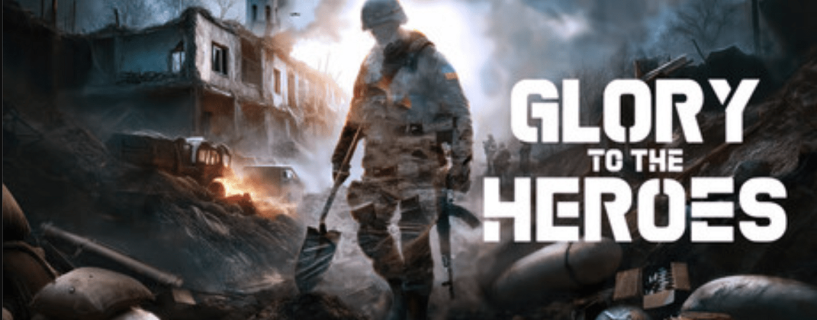
I have spent a lot of time with military shooters. From the early days of Operation Flashpoint to the recent wave of realistic tactical games, I thought I had seen every angle on modern warfare gaming. Then I came across Glory to the Heroes, a project from Deaf Tone Games that does something almost none of the bigger studios dare to do. It puts the Russian-Ukrainian war directly on screen, in real locations, with real unit names, and does not pretend it is fictional. That alone made me stop scrolling and pay attention.
This article covers everything you need to know before you download it, whether you are curious about what kind of game this actually is, whether your PC can run it, how the controls work on both PC and Xbox, and what makes it worth your time in early 2026.
What Is Glory to the Heroes
Glory to the Heroes is a tactical first person shooter built around the ongoing Russian-Ukrainian war. It is developed and published by Deaf Tone Games and entered Early Access in Q1 2026. The game sits in a space between a hardcore mil-sim and a grounded tactical shooter. It is not a run and gun game. It is not trying to compete with Call of Duty. It is doing something closer to what games like Arma or Hell Let Loose attempt, but with a sharp focus on one specific, ongoing conflict.
The game supports both single player and PvPvE multiplayer. In multiplayer, human players fight against each other and against AI units at the same time on maps built from real locations using actual satellite height data and photogrammetry scanning. In single player, you move through a story campaign built around real war stories from people who took part in specific battles.
The Steam page currently shows no user reviews, which is expected for a freshly launched Early Access title. The community is still forming. But the scope of what the developers have outlined is serious and detailed enough that it deserves a proper breakdown.
The Setting and Why It Matters
Most war games either set their action in fictional countries, heavily fictionalized versions of real conflicts, or wars that ended decades ago. Glory to the Heroes does none of that. It is set in the actual Russian-Ukrainian war, which is still ongoing at the time this article was written.
That is a bold decision. It means the developers are working with real regiment names, real location names, real tactics, and real human stories. It also means the game carries a different kind of weight. When you play a level based on a real battle from 2023, you are interacting with something that happened to real people. The developers describe this as a commitment to educational, journalistic, and cultural purposes, and based on what has been shown, that framing feels genuine rather than a marketing cover.
The conflict itself became notable for a particular combination of tactics that most modern war games have never attempted to simulate. You have World War Two style trench networks running alongside massive artillery barrages, while at the same time both sides are deploying consumer-grade and military FPV drones for reconnaissance and direct attack. This mix has never appeared together in a war game at this level of fidelity before. Glory to the Heroes is built specifically around that combination.
Gameplay Systems Explained in Full
Squad Structure and Role Assignment
Every player in Glory to the Heroes is part of a squad. Squads are not just groupings for respawn purposes. Each squad has defined roles and each role has specific responsibilities that affect how the entire team performs. You pick your role before the match and your equipment, tasks, and position on the map all flow from that choice.
The available roles include:
- Assaulter – Front line infantry focused on direct engagement and clearing positions
- FPV Operator – Controls first person view drones used for reconnaissance and strikes
- Artilleryman – Manages mortar and artillery assets, requires coordinate calculation
- Driver – Operates armored vehicles and handles logistics transport between positions
- Rifleman – Core infantry support role with a focus on holding positions and covering movement
No single role dominates the battlefield on its own. The FPV operator is nearly useless without infantry to act on the intelligence. The artilleryman cannot hit anything without accurate coordinates from someone on the ground. Drivers matter because logistics matter. Ammunition runs out. Fuel runs out. If no one covers that role, the squad slows down and eventually stops being effective. I find this design genuinely refreshing because it forces you to think about the team as a system rather than a collection of individual players competing for kills.
Resource Management and Logistics
Several roles in the game are responsible for managing physical resources. This includes mortar ammunition, vehicle fuel, construction materials, and medical supplies. These resources deplete during gameplay and must be replenished or redistributed through active logistics work.
Building a trench does not happen automatically. You need construction resources. Resupplying a mortar position requires someone to physically carry ammunition from a supply point. Keeping an armored vehicle mobile requires fuel management. These are not background systems running without player involvement. They are active tasks assigned to specific roles, and failing to perform them has direct consequences for the squad.
Constructible Defenses and Terrain Destruction
Players can build field defenses during matches. This includes sandbag walls, fire points, trench sections, anti-tank obstacles, and anti-drone netting. These constructions change the effective layout of the map during a match and give defending players a meaningful way to shape the battlefield to their advantage.
On the other side, structures and cover can be destroyed. Walls collapse under fire. Buildings become rubble. The environment changes as the match progresses. A house that offered safe cover at the start of a match may be an exposed pile of debris by the middle of it. This kind of environmental change pushes players to adapt their positioning constantly rather than locking into one spot and holding it forever.
The Health and Injury System
There is no health regeneration in Glory to the Heroes. This single design decision changes everything about how you move, how you take cover, and how much you value staying alive versus pushing forward aggressively.
Injuries fall into categories. Light injuries like cuts or minor bleeding can be treated by the player using a bandage or tourniquet from their own inventory. Heavy injuries require a medic to treat them properly. Severe injuries result in death with no player-side treatment available.
Different injury types need different treatments. A broken bone, a chest wound, and a shrapnel cut all have different treatment paths. Getting the wrong treatment does not help. This forces players to actually understand the system rather than just pressing one button and watching a health bar refill. I know from experience with other games using similar systems that this design creates tense, memorable moments that you simply do not get from auto-regenerating health bars.
Survival Mechanics Beyond Health
Beyond physical injuries, your character is subject to exhaustion, thirst, and hand fatigue. Each of these affects your performance in specific ways. Exhaustion slows movement and reduces effectiveness in physical tasks. Thirst has its own progression and treatment. Hand fatigue affects your weapon handling and aim stability.
These are not cosmetic status effects. They change how your character actually performs and must be managed with consumable items from your inventory. A soldier who has been sprinting across open ground for ten minutes is not going to shoot as steadily as one who has been conserving energy. That kind of physical reality adds a layer of tactical depth that most shooters skip entirely.
Weapon Handling and Vehicle Operation
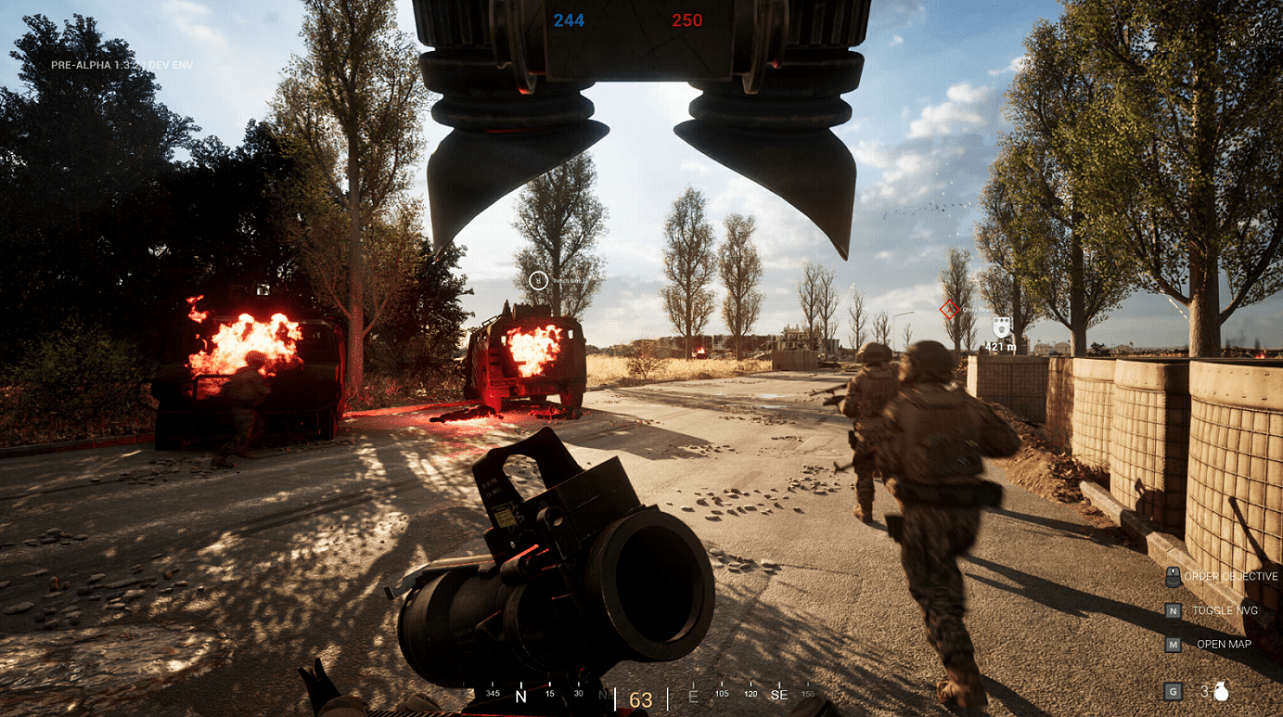
Weapons in Glory to the Heroes behave with a degree of physical realism that goes beyond standard shooter mechanics. The game includes bullet drop, weapon malfunction, physical firearm behavior such as bolt cycling and magazine management, and the need to track and manually reload specific ammunition types.
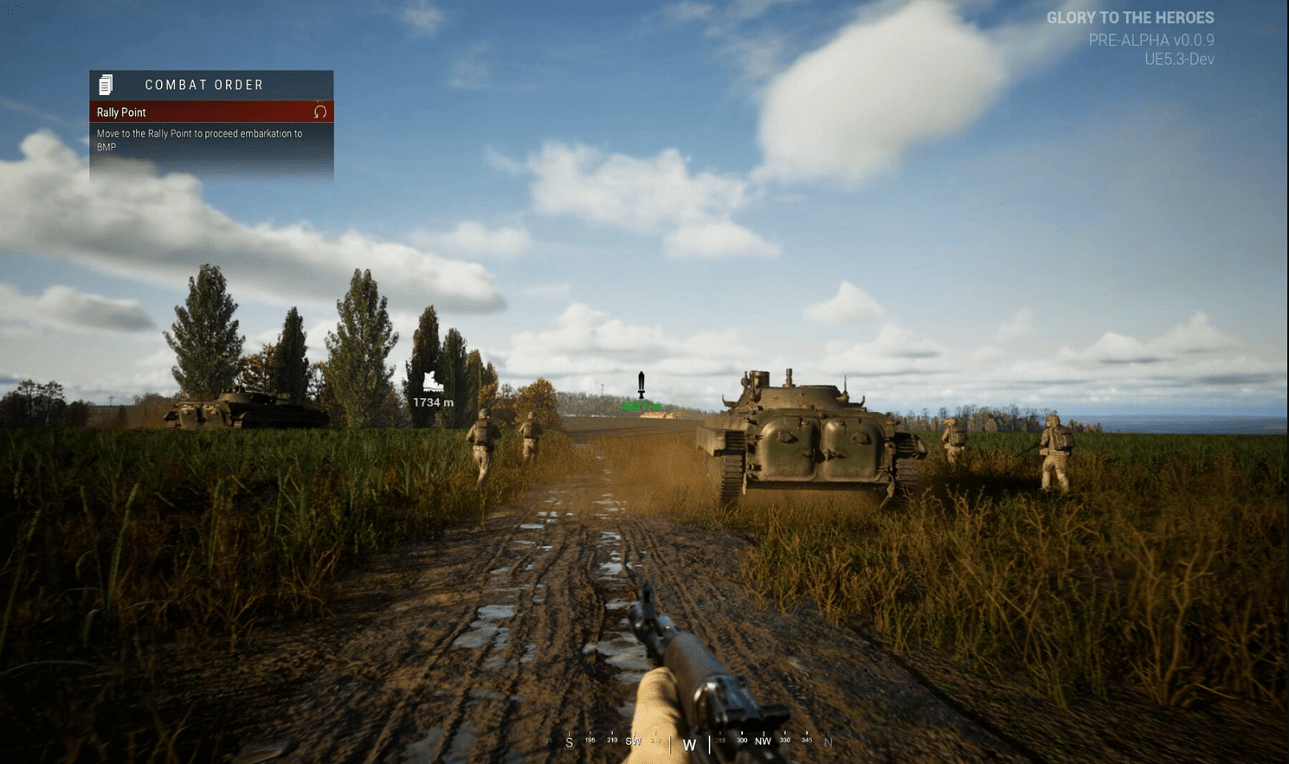
Vehicles feature full interior views with working cockpits and instrument panels. Operating a vehicle requires actual knowledge of the controls and an understanding of the vehicle’s capabilities and limitations. Driving an armored transport across open ground while under drone observation is a genuinely different experience from driving in games where vehicles are just fast movement tools.
Tactical Map and Intelligence Tools
Every role in the game has access to a real-time tactical map built to resemble the software actually used by Ukrainian forces in the field. The game specifically cites Ukrainian Delta and Kropyva tactical platforms as the inspiration for this system. These are real battlefield management tools used in the actual conflict.
Players use the map to navigate, place waypoints for their squad, track enemy positions spotted by FPV operators or scouts, and calculate firing solutions for artillery. Artillery players in particular rely on the map heavily because accurate fire requires accurate coordinates, and getting those coordinates requires coordination with other players who can spot targets and confirm positions.
This is not a minimap in the corner of your screen. It is an active tool that players open, read, and use to make decisions. Learning to use it effectively is a real skill that separates experienced players from new ones.
Weather and Time of Day
Matches run with real-time weather changes and full day-night cycles. Rain reduces visibility and affects movement on soft ground. Night operations change the tactical picture entirely, making light discipline and sound management critical. Fog limits the effectiveness of long-range fire and drone spotting. These are not just visual effects. They change the practical conditions of the fight and require players to adapt their approach.
Single Player Story Campaign
The story campaign in Glory to the Heroes takes a different approach from most war games. Instead of following one protagonist through a series of escalating missions, the campaign is structured as individual war stories, each focused on a specific person who participated in a specific historical event from the conflict.
Each story chapter introduces a character with a unique skill set and a specific role they played in the war. The focus is explicitly personal rather than strategic. You are not watching a general’s view of the battle. You are seeing it through the experience of one enlisted person on the ground, with all the limited information and physical reality that comes with that perspective.
The developers note that these stories are continuing to develop as the war itself continues. That is a remarkable design position. The campaign is not a finished history. It is an ongoing documentary effort in game form.
PvPvE Multiplayer Structure
In multiplayer, each map tells the story of a specific battle. The units available to players, the vehicles present, and the battle objectives all reflect what actually happened at that location on that day. Some maps feature heavy armor. Some have no vehicles at all because the actual battle was fought on foot. Some center on urban combat and some on open field trench warfare.
The AI opponents in PvPvE mode represent the opposing force units present during the real engagement. This is not a standard bot fill system. The AI behavior and positioning is designed to reflect actual tactics used in the conflict being depicted.
Real military regiments and groups from the conflict appear in the game, each tied to specific maps and campaign events. This level of specificity is uncommon in any war game, let alone one covering a conflict that is still active.
What It Feels Like to Actually Play
I want to be direct about something here. This game is not designed to be fun in the way a conventional shooter is fun. There are no killstreak rewards. There is no progression system handing you dopamine hits every five minutes. You are not a special forces operator cutting through waves of enemies.
You are a regular enlisted soldier. You may spend a long stretch of a match in a trench waiting for artillery to stop. You may be killed instantly by a landmine you could not see. An artillery strike you never heard coming may end your session in a second. The game is explicit about this. It says directly that you are not Rambo. That is not a limitation. It is the entire point.
Players who enjoy Arma, Hell Let Loose, or Post Scriptum will feel at home with this design philosophy. Players who want fast-paced, individual-skill-based action will find it frustrating. Knowing which category you fall into before you download is genuinely useful information.
System Requirements
Minimum Requirements
| Operating System | Windows 10 64-bit |
| Processor | AMD Ryzen 5 1600X or Intel Core i5-7600K |
| Memory | 14 GB RAM |
| Graphics | AMD Radeon RX 580 8GB or NVIDIA GeForce GTX 1060 6GB |
| DirectX | Version 12 |
| Network | Broadband internet connection |
| Storage | 40 GB available space |
Recommended Requirements
| Operating System | Windows 10 or 11 64-bit |
| Processor | AMD Ryzen 7 3700X or Intel Core i5-9600K |
| Memory | 32 GB RAM |
| Graphics | AMD Radeon RX 7600 XT or NVIDIA GeForce RTX 4070 Ti |
| DirectX | Version 12 |
| Network | Broadband internet connection |
| Storage | 40 GB available space |
Note: The developers state that these specs reflect the current demo build and may change before full release.
The minimum specs are accessible. A GTX 1060 and a Ryzen 5 from 2017 can get you into the game. However, given the scale of the battles, the destructible environments, and the real-time weather systems, hitting recommended specs will give you a noticeably better experience. If you are running less than 16 GB of RAM, it is worth checking whether your system can add more before your first session.
How to Download Glory to the Heroes
Glory to the Heroes is available through Steam as an Early Access title. To download it:
- Open the Steam client on your PC. If you do not have Steam installed, download it from store.steampowered.com.
- Search for Glory to the Heroes in the Steam store search bar.
- Navigate to the game page and check the current pricing. Early Access pricing applies.
- Click Add to Cart and complete the purchase.
- Once purchased, the game appears in your Steam Library. Click Install and choose your installation drive.
- The download size is approximately 40 GB. Ensure you have space available before starting.
- Once installed, click Play from your library to launch the game.
The game requires a constant internet connection even for solo play due to its Early Access update structure and authentication system.
Full PC Keyboard and Mouse Control Layout
Glory to the Heroes uses a complex control scheme on PC that reflects its mil-sim design. All bindings below are based on the default layout and can be adjusted in the settings menu.
Movement Controls
| Action | Default Key |
| Move Forward | W |
| Move Backward | S |
| Move Left | A |
| Move Right | D |
| Sprint | Left Shift (hold) |
| Crouch | C (toggle) or Left Ctrl (hold) |
| Prone | Z |
| Jump | Space |
| Lean Left | Q |
| Lean Right | E |
| Walk (slow) | Left Alt (hold) |
Combat Controls
| Action | Default Key |
| Fire | Left Mouse Button |
| Aim Down Sights | Right Mouse Button |
| Reload | R |
| Cycle Fire Mode | B |
| Melee Attack | F (tap) |
| Throw Grenade | G |
| Switch to Secondary | X |
| Holster Weapon | Middle Mouse Button |
| Check Ammo | V |
| Safety Toggle | Left Alt + B |
Inventory and Equipment Controls
| Action | Default Key |
| Open Inventory | Tab |
| Use Item (equipped) | F (hold) |
| Apply Bandage | H |
| Apply Tourniquet | Left Ctrl + H |
| Consume Food or Water | Middle Mouse Button (hold) |
| Drop Item | G (from inventory) |
| Quick Slot 1 to 4 | 1, 2, 3, 4 |
Communication and Squad Controls
| Action | Default Key |
| Voice Chat (squad) | Caps Lock |
| Voice Chat (all) | Y |
| Text Chat | Enter |
| Open Map | M |
| Place Waypoint (on map) | Left Click (on map) |
| Delete Waypoint | Right Click (on map) |
| Measure Distance (map) | Hold Left Click and drag |
| Scoreboard | End |
| Command Menu | T |
Vehicle Controls (PC)
| Action | Default Key |
| Accelerate | W |
| Brake or Reverse | S |
| Steer Left | A |
| Steer Right | D |
| Handbrake | Space |
| Turret Left or Right | Mouse X-axis |
| Turret Up or Down | Mouse Y-axis |
| Main Weapon Fire | Left Mouse Button |
| Secondary Weapon Fire | Right Mouse Button |
| Exit Vehicle | F |
| Engine On or Off | Left Ctrl + E |
| Change Seat | Scroll Wheel |
FPV Drone Controls (PC)
| Action | Default Key |
| Throttle Up | W |
| Throttle Down | S |
| Roll Left | A |
| Roll Right | D |
| Yaw Left | Q |
| Yaw Right | E |
| Camera Tilt Up or Down | Mouse Y-axis |
| Arm or Disarm | Left Ctrl + Space |
| Switch Camera Mode | V |
| Return to Operator View | Backspace |
Full Xbox Controller Button Layout
Glory to the Heroes supports Xbox controllers on PC. The default layout below is optimized for the game’s tactical demands. You can remap any button through the settings menu.
Movement and Navigation (Xbox)
| Action | Button |
| Move | Left Stick |
| Look and Aim | Right Stick |
| Sprint | Left Stick Click (L3) |
| Crouch Toggle | Right Stick Click (R3) |
| Jump | A Button |
| Prone | Hold A Button |
| Lean Left | Left on D-Pad |
| Lean Right | Right on D-Pad |
| Walk Slow (hold) | Left Trigger partial press |
Combat Actions (Xbox)
| Action | Button |
| Fire | Right Trigger (RT) |
| Aim Down Sights | Left Trigger (LT) |
| Reload | X Button |
| Cycle Fire Mode | Up on D-Pad |
| Melee Attack | B Button (tap) |
| Throw Grenade | Y Button |
| Switch Weapon | Down on D-Pad |
| Holster Weapon | Hold B Button |
| Check Ammo | Left Bumper (LB) + Down D-Pad |
Inventory and Equipment (Xbox)
| Action | Button |
| Open Inventory | View Button (Back) |
| Use Equipped Item | Hold B Button |
| Apply Bandage | Left Bumper (LB) |
| Apply Tourniquet | Hold Left Bumper (LB) |
| Consume Item | Right Bumper (RB) + B |
| Navigate Inventory | Left Stick or D-Pad |
| Select Item | A Button |
| Drop Item | Y Button (in inventory) |
Map and Communication (Xbox)
| Action | Button |
| Open Tactical Map | Menu Button (Start) |
| Place Waypoint | A Button (on map) |
| Delete Waypoint | X Button (on map) |
| Voice Chat (squad) | Right Bumper (RB) |
| Voice Chat (all) | Hold Right Bumper (RB) |
| Scoreboard | View Button (hold) |
| Command Menu | Left Bumper (LB) + Menu |
Vehicle Controls (Xbox)
| Action | Button |
| Accelerate | Right Trigger (RT) |
| Brake or Reverse | Left Trigger (LT) |
| Steer | Left Stick |
| Turret or Camera Aim | Right Stick |
| Main Weapon Fire | Right Bumper (RB) |
| Secondary Weapon Fire | Left Bumper (LB) |
| Handbrake | A Button |
| Exit Vehicle | B Button (hold) |
| Change Seat | D-Pad Up or Down |
| Engine On or Off | X Button (hold) |
FPV Drone Controls (Xbox)
| Action | Button |
| Throttle Up or Down | Left Stick Up or Down |
| Roll Left or Right | Right Stick Left or Right |
| Yaw Left or Right | Left Stick Left or Right |
| Camera Tilt | Right Stick Up or Down |
| Arm or Disarm | Hold A Button |
| Switch Camera Mode | Y Button |
| Return to Operator View | B Button |
Note: All control layouts above are based on the default configuration at launch. Deaf Tone Games may update bindings through patches. Always check the in-game settings for the most current layout. Controller deadzone and sensitivity can both be adjusted from the input settings menu.
Content Warning and Age Rating
Glory to the Heroes includes realistic violence and gore. The developers are direct about this. A war game built around depicting a real conflict accurately cannot sanitize that reality without undermining its own stated purpose. The game is intended for adult players and will carry the appropriate age rating in each territory.
If you have a younger person in your household who has access to your Steam account, this is worth knowing before you install. The content is comparable in intensity to games like Arma 3 or Red Orchestra 2, leaning toward the serious end of the scale.
Early Access Status and What to Expect
Glory to the Heroes launched in Early Access in Q1 2026. That means the version you download today is not the finished product. Some systems will be incomplete. Some content planned for the full release will not be present. Bugs are expected and the developers will be pushing updates regularly.
Playing an Early Access game is a different experience from playing a finished one. You are essentially contributing to the testing and development process by playing, reporting issues, and engaging with the community. If that kind of involvement interests you and you enjoy following a game’s development over time, Early Access is genuinely rewarding. If you prefer waiting for a complete, polished experience, bookmarking the page and returning in six to twelve months is a reasonable choice.
Given the scope of what Deaf Tone Games is attempting, a thorough Early Access period seems appropriate. The systems described in this article are complex and interconnected. Getting all of them to work correctly together at the scale of a real multiplayer match takes time and real player feedback to refine.
How Glory to the Heroes Compares to Similar Games
If you are trying to decide whether this game is worth your time compared to other tactical shooters you already know, here is a practical comparison.
Against Hell Let Loose: Hell Let Loose covers World War Two with a similar squad-based structure and similar emphasis on roles. Glory to the Heroes brings that framework into a contemporary conflict with drone warfare, modern weapons, and ongoing historical documentation. If you like Hell Let Loose, the structure of Glory to the Heroes will feel familiar. The content and tone will feel different because the war is current.
Against Arma 3: Arma 3 is broader in scope and has years of content and community mods behind it. Glory to the Heroes is narrower in focus but deeper in its specific subject matter. If the Russian-Ukrainian conflict specifically interests you, Glory to the Heroes will give you something Arma 3 simply cannot.
Against Squad: Squad is arguably the closest comparison in terms of design philosophy. Both games emphasize teamwork, communication, and realistic military structure. Glory to the Heroes adds the personal story campaign, the specific historical framing, and the particular weapons and tactics of this specific war. FPV drone operation as a full player role has not appeared in Squad to the same degree.
Developer Background
Deaf Tone Games is the developer and publisher of Glory to the Heroes. The studio appears to be a small, focused team with a specific connection to the subject matter they are depicting. The level of detail in the tactical systems, the use of real military unit names, the recreation of actual battlefield locations using real geographic data, and the personal story approach to the campaign all suggest a team that is working from genuine knowledge of and investment in the conflict rather than treating it as a setting chosen for commercial appeal.
Small studios in Early Access can be unpredictable. Some deliver on their vision and some do not. Based on what has been shown so far, Deaf Tone Games has clearly articulated what they are building and why. Following their development updates and community communication over the coming months will give you a clearer sense of whether the full vision is being realized.
Useful External Resources
- Steam Store Page for Glory to the Heroes
- NATO background on the Russia-Ukraine conflict
- How to check if your PC meets a game’s system requirements via PCMag
- BBC News overview of the Ukraine conflict and its key events
- IGN list of recommended tactical shooters for context and comparison
Frequently Asked Questions
Is Glory to the Heroes available on console?
As of Q1 2026, Glory to the Heroes is a PC exclusive available on Steam. There has been no official announcement of a console version. The game does support Xbox controllers connected to PC, which is covered in the full controls section above.
Does Glory to the Heroes have a free demo?
The developers have referenced a demo build in their system requirements notes, indicating one exists or has existed. Check the Steam store page for the current availability of a free demo before purchasing the Early Access build.
Can I play Glory to the Heroes solo?
Yes. The game has both a single player story campaign and PvPvE multiplayer. Solo players can engage fully through the story campaign. In PvPvE mode, human teammates and AI opponents both appear, so you are never required to play with a full squad of real players to participate in the multiplayer side.
Is Glory to the Heroes based on real events?
Yes. The game uses real location data, real military unit names, real tactical software as reference, and bases its story campaign episodes on actual documented events from the Russian-Ukrainian war. The developers describe their purpose as educational, journalistic, and cultural.
How large is the Glory to the Heroes download?
The current Early Access build requires 40 GB of storage space. This may change as the game receives content updates. The recommended minimum free space is 50 GB to account for future patches.
Does Glory to the Heroes support ultrawide monitors?
Ultrawide support has not been officially confirmed or denied in the current Early Access documentation. This is something to check on the Steam community hub or through official developer communications before purchasing if ultrawide is important to your setup.
Is there a progression system or unlocks in Glory to the Heroes?
Based on current documentation, Glory to the Heroes focuses on role-based gameplay rather than traditional unlock progressions. The game design prioritizes tactical depth and realism over reward loops. Specific progression features may be announced as development continues through Early Access.
What is the difference between PvP and PvPvE in Glory to the Heroes?
PvPvE means human players fight against other human players while AI controlled enemy units are also present on the battlefield. This is different from pure PvP where all opponents are human. The AI opponents in Glory to the Heroes represent actual military forces present at the historical battle being depicted on each map.
Can I use a flight stick or HOTAS for the drone controls?
This has not been officially confirmed in current documentation. The FPV drone role is designed primarily around keyboard and mouse or controller input. If you want to use specialist hardware, check the official Deaf Tone Games community pages for updates on peripheral support.
Is Glory to the Heroes appropriate for younger players?
No. The game includes realistic violence and gore. The developers are direct about this. It is designed for adult players and covers a real ongoing conflict. It is not appropriate for children or young teens.
How historically accurate is Glory to the Heroes compared to other war games?
Based on stated design intentions, Glory to the Heroes aims for a higher degree of historical and tactical accuracy than most commercial war games. Real location data, real unit names, real tactical software references, and story content based on documented personal accounts all point toward a serious commitment to accuracy. How well this holds up across all systems will become clearer as the Early Access period progresses and the community engages with the content.
Will Glory to the Heroes receive updates covering new events in the conflict?
The developers have indicated that the story campaign develops as the war itself develops. This strongly suggests ongoing content updates tied to real events. The specifics of the update schedule will be communicated through the Steam page and developer channels as the Early Access period continues.
Download Links
If you are facing any issue in downloading or need assistance Click here .