
Mar 28
Warren Potter
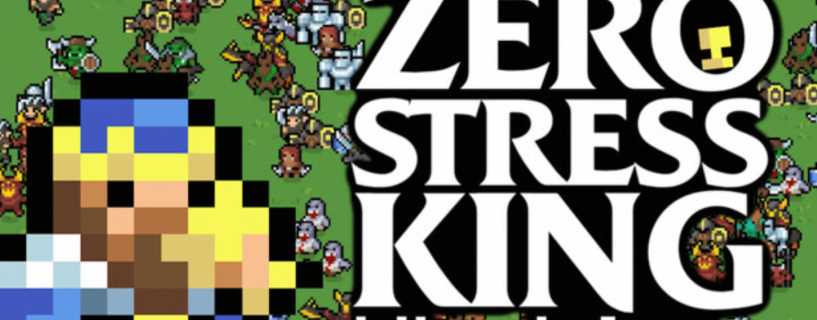
I want to talk about a game that does something most developers are too afraid to do. It removes the possibility of failure entirely. Not as a difficulty option. Not as a cheat code. As the core design philosophy.
Zero Stress King: Idle Defense came out on Steam on March 30, 2026, made by solo developer Pauloondra. It had already been live as a browser demo on itch.io since February 2026, racking up over 2,300 plays and 1,600 hours of total playtime before the Steam launch even happened. That tells you something about who this game is actually for.
This is not a game for people who want to be tested. This is a game for people who want to watch something work beautifully while they drink their morning coffee. And it does that job really well.
The Core Idea and Why It Clicks
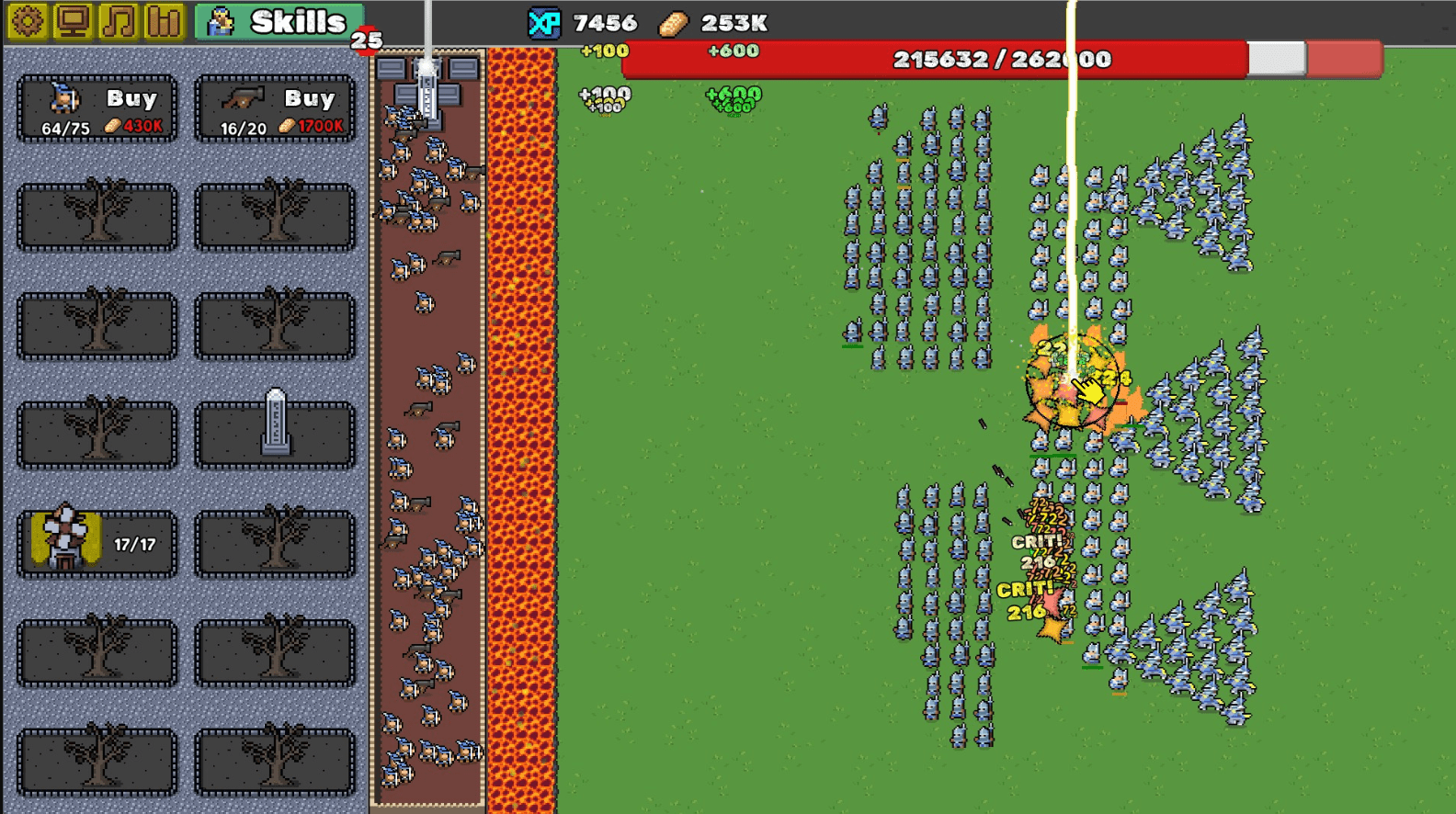
Enemies march toward your walls in endless waves. You build defenders, upgrade your production buildings, and watch the numbers climb. Standard tower defense setup so far.
But before any enemy reaches your walls, they fall into a river of lava. Every single one. Every time. The lava is not a power up you activate. It is just always there. The game tells you upfront: you already won. The lava takes care of everything. Your only job is to make your kingdom bigger.
That single design choice changes the entire feeling of the game. There is no tension. No panic. No moment where you fumble your upgrade order and watch your defenses crumble. You just sit back and grow.
I spent a solid stretch with the itch.io demo before the Steam release. I kept waiting for the catch. It never came. The lava just kept doing its job, and I kept upgrading my defenders because it felt satisfying to do so, not because I had to.
What Has Been Added Since the Demo
The browser version was already fun on its own, but the Steam release adds two things that give the game a lot more depth.
Prestige System
Once you reach a certain point in your run, you can prestige and reset your progress in exchange for permanent bonuses that carry forward. This is the standard incremental game loop that keeps long term players engaged. You give up what you built, but each new run starts stronger and moves faster. The cycle becomes satisfying in its own right.
Boss Units
Boss enemies now appear in the waves. They are tougher than standard enemies and, according to early player feedback from the Steam community, they are not pushovers. One player on the Steam forums noted the Nun unit and her beam attack specifically as something that stands out. The bosses add a visual highlight to waves that could otherwise blur together over a long session.
Zeropedia
The developer added an in-game compendium called Zeropedia that shows you the actual numbers behind every unit, building, and upgrade in the game. This is a genuinely useful feature for players who want to plan their upgrade path instead of just clicking whatever is available. Knowing the exact cost scaling and output values turns the game into more of a puzzle for those who want that layer.
How to Download Zero Stress King: Idle Defense
Getting the game is straightforward. Here is the full process:
- Go to store.steampowered.com and log in or create a free account.
- Search for Zero Stress King: Idle Defense in the search bar.
- Click the game page and then click Add to Cart or Play Now depending on the pricing model.
- Complete the purchase through Steam’s checkout if there is a cost.
- Click Install from your Steam Library and choose your install folder.
- Launch the game once the install finishes. It loads fast given the minimal system requirements.
If you want to try it before buying, the browser demo is still available on Pauloondra’s itch.io page. It gives you a real feel for the loop without spending anything.
System Requirements
This game runs on almost anything. Here is the breakdown:
Minimum PC Requirements
| Component | Requirement |
|---|---|
| Operating System | Windows 10 (64-bit) |
| Processor | Any 64-bit processor |
| Memory | 4 GB RAM |
| Graphics | Integrated graphics will work fine |
| Storage | Minimal (well under 1 GB) |
| Sound Card | Not required |
The developer wrote the system requirements with a sense of humor, noting the processor just needs to “exist.” That tells you this is built to run on anything. A budget laptop, an old office PC, a machine you forgot still powers on. It does not matter. If Windows 10 runs on it, this game runs on it.
Full PC and Xbox Controller Button Layout Guide
Zero Stress King plays primarily through mouse clicks, but Steam Input makes it fully usable with a controller if you want a couch experience. Here is everything mapped out.
PC Keyboard and Mouse Controls
| Action | Control |
|---|---|
| Buy Defender Unit | Left Click on unit card |
| Buy Production Building | Left Click on building |
| Upgrade Selected Unit or Building | Left Click on upgrade button |
| Navigate Conquest Skill Map | Click and Drag or Arrow Keys |
| Unlock Skill Map Node | Left Click on node |
| Open Zeropedia Compendium | Click Zeropedia button in UI |
| Jump to Skills Screen | Middle Mouse Button |
| Return from Skills to Main View | Middle Mouse Button |
| Zoom In | Scroll Wheel Up |
| Zoom Out | Scroll Wheel Down |
| Pause Game | Escape or P |
| Open Settings | Escape then Settings |
| Toggle Sound Off | Settings toggle (auto off when minimized) |
Xbox Controller Layout via Steam Input
| Action | Xbox Button |
|---|---|
| Move Cursor or Navigate UI | Left Stick |
| Navigate Conquest Map | Right Stick |
| Select or Confirm Purchase | A Button |
| Back or Cancel | B Button |
| Upgrade Selected Unit | X Button |
| Open Zeropedia | Y Button |
| Scroll Left Through Unit Cards | LB (Left Bumper) |
| Scroll Right Through Unit Cards | RB (Right Bumper) |
| Zoom In on Map | Right Trigger (RT) |
| Zoom Out on Map | Left Trigger (LT) |
| Jump to Skills Screen | D-Pad Up |
| Return to Main View | D-Pad Down |
| Pause or Resume | Start (Menu Button) |
| Open Game Settings | Select (View Button) |
To set up your Xbox controller with this game, connect it via USB or Bluetooth before launching Steam. Steam Input detects it automatically in most cases. If you want to remap any buttons, open Steam Big Picture Mode, navigate to your controller settings, and customize from there. The Steam controller configuration page has a full walkthrough if you have never done this before.
One thing worth noting: the developer confirmed in the Steam community that a middle mouse button hotkey takes you directly to the Skills screen and back. If you use a controller without a middle button, map that action to D-Pad Up for the smoothest experience.
Language Support
The game ships with full interface and audio support in 17 languages at launch. Confirmed languages include English, French, Italian, German, and Spanish. This is solid coverage for an indie release of this size and makes it genuinely accessible to a wide international audience without any extra setup needed.
Honest Feedback From Early Players
The demo on itch.io and the Steam community forums gave a clearer picture of where the game shines and where some players ran into friction.
On the positive side, players consistently praised the core loop as genuinely calming. Multiple people in the Steam discussions said they burned through the demo and immediately wanted more. The feedback on the Prestige system and Boss additions was largely positive, as it gave longer play sessions something new to work toward.
Some players found the upgrade cost scaling to be steep in the mid to late game. A few noted that certain upgrades felt underpowered relative to their cost, particularly upgrades tied to enemy drop bonuses. The developer has been active in responding to this feedback, with the most recent patch notes addressing balance across several systems. The game is clearly being iterated on, which is a good sign for anyone picking it up at launch.
For current patch notes and developer updates, the official Steam Community hub is the best place to check.
How This Fits Into the Idle Game Genre
If you have played games like Cookie Clicker, Idle Clans, or Trimps, you already understand the basic appeal here. The numbers go up. The progress feels real even when nothing dramatic happens. You come back after an hour and things have moved forward without you.
Zero Stress King adds something those games do not always have: a visual reason to watch. Enemies march in real time. Your defenders fire at them. The lava catches everything. It gives the idle loop a sense of action even when you are doing nothing. That combination of idle mechanics with live visuals is what makes this feel different from a pure clicker.
The conquest map as a skill tree also separates it from most idle games. You are not just unlocking bigger numbers. You are choosing a path on a map, which makes the progression feel more deliberate and personal.
Frequently Asked Questions
Is Zero Stress King: Idle Defense free on Steam?
The game has a set price on Steam but the developer also hosts a fully playable browser demo on itch.io at no cost. Try the demo first to see if the style works for you before purchasing the full version.
Does the game have a Prestige system?
Yes. The Steam version includes a Prestige system that lets you reset your run for permanent carry-forward bonuses. This extends the game significantly beyond the base idle loop and gives long term players a reason to keep going.
Are there bosses in Zero Stress King?
Yes, boss units were added to the Steam release. They are notably tougher than standard wave enemies and appear as milestone moments during your runs. They still fall into the lava, but they take more from your defenders to bring down.
Can you play Zero Stress King in a browser?
Yes. The browser version of the game is available on the developer’s itch.io page and functions as a full demo. It does not include the prestige system or boss units, but it gives you the complete core experience.
Does Zero Stress King work on Steam Deck?
There is no confirmed Steam Deck verification as of the March 2026 launch. The game is Windows only at this time. Steam Deck compatibility may come in a future update but has not been announced.
What is the Zeropedia in Zero Stress King?
Zeropedia is an in-game compendium that shows you the exact stats and numbers for every unit, building, and upgrade in the game. It is useful for players who want to plan their upgrade path strategically rather than clicking whatever is available.
Is Zero Stress King a good game for beginners to idle games?
It is one of the best starting points for the genre. There is no losing state, the mechanics are clean and easy to read, and the visual feedback from the tower defense layer makes the experience more engaging than a plain number clicker.
How do I get to the Skills screen faster in Zero Stress King?
The developer added a middle mouse button hotkey that jumps you directly to the Skills screen and back to the main view. On a controller, map this to a D-Pad direction in Steam Input for the same quick access.
What happens when you let Zero Stress King run while away from your PC?
The game is designed for idle play. Resources and upgrades accumulate while you are away. The developer also added a sound toggle that automatically turns off audio when the game window is minimized, so it does not bother you while it runs in the background.
Is there an ending in Zero Stress King: Idle Defense?
The game is listed as having an ending, though the Prestige system means you can continue past the initial completion point. Most players will reach the end credits and then continue into Prestige runs for ongoing progression.
Download Links
If you are facing any issue in downloading or need assistance Click here .